



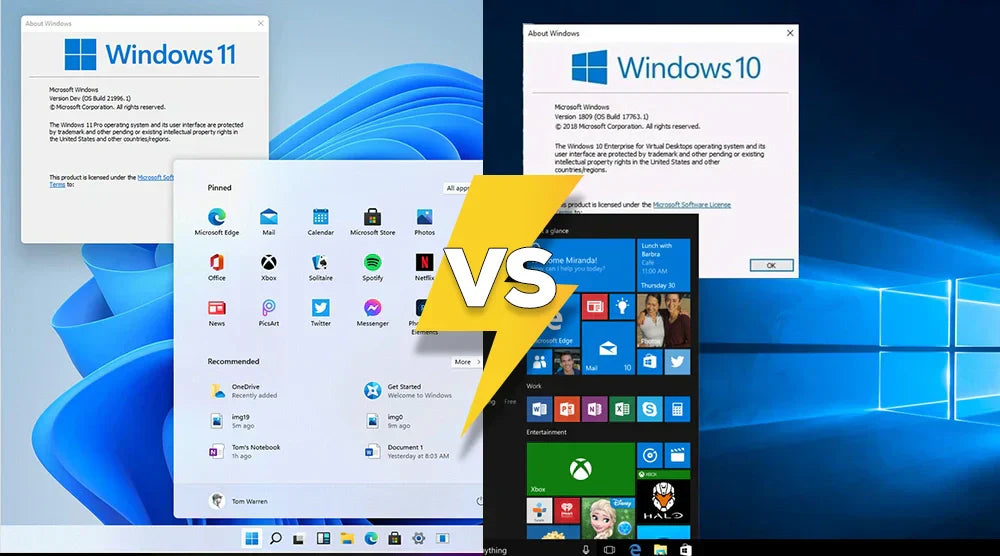
Selecting the right operating system can significantly impact your gaming enjoyment. Your operating system can influence the speed at which your games load, the stability of your gaming PC, the graphics, and even your FPS.
Today, many gamers are asking an important question: How does Windows 11 compare to Windows 10 for gaming performance? Windows 11 vs Windows 10 gaming performance in 2026 is becoming a key topic among gamers upgrading their systems.
For years, Windows 10 has been the chosen standard. Because of its stability and broad compatibility, several gamers still employ it. Windows 11, on the other hand, is Microsoft's most recent operating system and includes new tools intended to improve gaming PC performance.
In this guide, we break down the confusion and assumptions surrounding Windows 11 vs Windows 10. You'll discover their key features, performance differences, compatibility factors, benefits, drawbacks, and most importantly, which Windows is best for gaming, 10 or 11.
Windows 11 vs Windows 10: Key Gaming Features
Direct Storage: Quicker Game Load Times
DirectStorage is one of the biggest advantages Windows 11 brings to gamers. This feature allows games to load data much faster directly from your SSD, resulting in shorter load times, smoother open-world transitions, and far less waiting.
While Windows 10 offers limited support for DirectStorage, Windows 11 is specifically optimized to take full advantage of it, delivering noticeably better performance on supported hardware. This is one of the key Windows 11 gaming advantages over Windows 10 in 2026.
Better Images with Auto HDR
Originally seen on Xbox, Auto HDR is now available with Windows 11. In supported games, it increases contrast and brightness, giving them a more vivid appearance without the necessity of native HDR support.
Although Windows 10 supports HDR, it lacks Auto HDR, resulting in widely varying results.
Game Mode Improvements
Game Mode, available in both OS editions, assists your computer in concentrating on gaming activities. Windows 11 has a few upgrades that help CPU scheduling so your games run more consistently.
DirectX 12 Ultimate Support
Both Windows 11 and Windows 10 support DirectX 12 Ultimate, ensuring access to advanced graphics features like ray tracing, variable rate shading, and mesh shaders.
However, Windows 11 offers better optimization, giving high-end GPUs a slight performance edge thanks to improved driver integration and resource handling.
Performance Comparison
FPS Variation
The FPS difference between Windows 10 and Windows 11 in most AAA games is typically small, around 1–3 FPS. However, Windows 11 manages system resources more efficiently, which can lead to slightly better performance on newer hardware, especially systems with modern CPUs and GPUs. This directly reflects Windows 11 vs Windows 10 gaming performance in 2026 trends.
GPU and CPU utilization
Improved scheduling in Windows 11 allows Intel 12th-gen, 13th-gen, and contemporary AMD processors to perform better with performance and efficiency cores. This may help games to be more stable overall and cut stuttering.
Memory Usage
Windows 11 consumes slightly more RAM than Windows 10. On older computers, that can make a difference, but on cutting-edge or contemporary ones, the change is almost undetectable.
In fact, Windows 11 often handles multitasking better, making tasks like gaming while streaming feel smoother and more efficient.
Compatibility and Needs
System Requirements
Windows 11 calls for more stringent standards:
- TPM 2.0
- Secure Start
- Modern processors
Hardware updates might be necessary if your computer falls short of these. Windows 10 is much more adaptable and may simply run on outdated machines.
Older Game Integration
Most Windows 10 games run on Windows 11 without problems. Some older games, however, might need modification or compatibility mode.
Retro games or old hardware benefit most from Windows 10.
Windows 11 vs Windows 10: Pros and Cons
Windows 11
Advantages
- Modern and simple user interface.
- DirectStorage speeds up game loading times.
- Auto HDR for better graphics
- Improved CPU management.
- Future-proof for upcoming titles.
These are clear Windows 11 gaming advantages over Windows 10 in 2026.
Drawbacks
- Fresh hardware is needed.
- Some older games might have a few problems.
- Marginal increase in RAM usage.
Windows 10
Pros
- Operates effectively on nearly all computers.
- Great legacy game compatibility.
- Reduced system requirements.
- Established stability.
Cons
- Missing automatic HDR.
- Restricted DirectStorage performance.
- Less well-suited for hybrid processors.
- Will cease receiving assistance going forward.
Which Windows is Best for Gaming, 10 or 11?
The right operating system depends largely on your hardware and gaming needs.
High-End or Modern PCs: Choose Windows 11
If you have a fast NVMe SSD, a powerful GPU, and a modern CPU, Windows 11 is the better option. It offers smoother performance, improved graphics features, and overall better optimization for the latest hardware. Gamers with strong or recently built systems will notice the most benefits.
Older Systems or Maximum Compatibility: Choose Windows 10
For older PCs or if you prefer playing classic or legacy games, Windows 10 delivers the best stability and compatibility. It runs efficiently on older hardware without requiring upgrades, making it an excellent choice for users who value reliability.
Wrap Up
Both Windows 11 and Windows 10 deliver solid gaming experiences, but the best choice depends on your hardware and gaming needs.
Windows 11 is perfect for modern systems, offering faster load times, enhanced graphics, and future-ready features. Windows 10, meanwhile, remains a reliable option for older PCs or gamers who prioritize stability and legacy game compatibility.
For more expert guides, tips, and recommendations to optimize your gaming rig for peak performance, visit the TechWhiz Inc. Blog today!
FAQs
Will Windows 11 run all Windows 10 games?
Yes. Almost all Windows 10 games run on Windows 11 without issues. However, some older titles may require minor adjustments or compatibility settings to work properly.
Is Windows 11 quicker for gaming?
Most of the time, performance is similar between Windows 10 and Windows 11. However, newer hardware can see slightly better results on Windows 11 thanks to improved system optimization.
Can I switch back to Windows 10 after upgrading?
Yes, you can revert to Windows 10 within 10 days of upgrading. After that, a clean reinstall of Windows 10 may be required.
Does my PC need to meet special requirements for Windows 11?
Indeed. TPM 2.0, Secure Boot, and a supported CPU will be necessary. Older systems might not qualify.
Are DirectStorage and Auto HDR worth upgrading for?
Yes. If you have a fast NVMe SSD and a modern GPU, upgrading to Windows 11 for DirectStorage and Auto HDR can greatly enhance load times and enhance visuals.


