



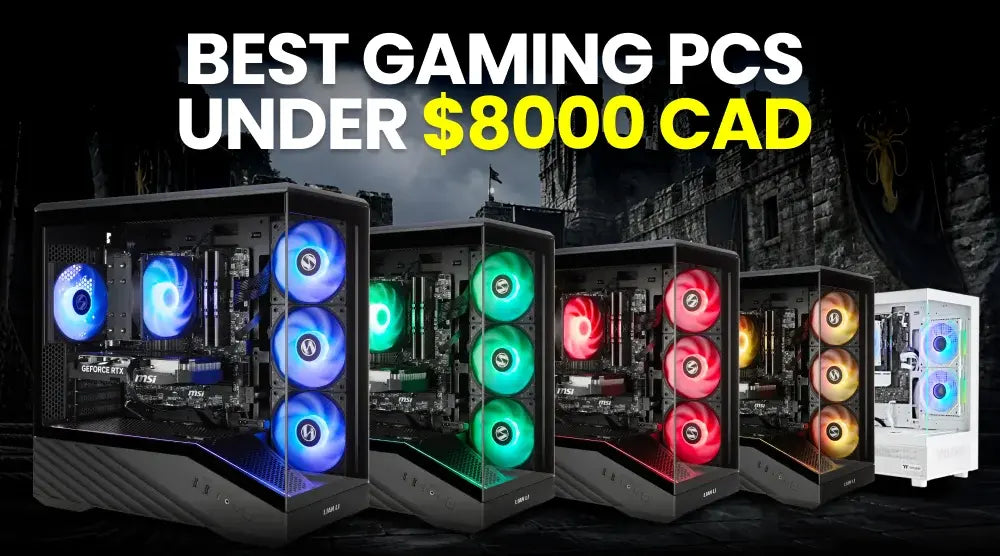
An $8000 CAD budget puts you firmly into the ultra-premium gaming PC segment. At this level, you can consider flagship-class graphics, high-end processors, large amounts of memory, fast NVMe storage, advanced cooling, and highly customized configurations.
However, spending up to $8000 CAD does not mean every component needs to be the most expensive option available. A well-balanced system can deliver a better gaming experience than a PC built around one or two premium components while compromising elsewhere.
For Canadian gamers looking for the best gaming PCs under $8000 CAD, the real question is how to match the hardware to your monitor, games, streaming requirements, and other workloads. A system in this price range can handle demanding AAA games, 4K gaming, high-refresh-rate displays, ray tracing, streaming, video editing, 3D work, and other intensive applications.
In this guide, we’ll cover what to look for in gaming PCs under $8000 CAD, our top five picks within this budget, expected performance, common buying mistakes to avoid, and whether spending the full $8000 CAD makes sense.
We’ll also explain why you should consider buying gaming PCs under $8000 CAD online from TechWhiz Inc.
What to Look for in Gaming PCs Under $8000 CAD
When shopping with a large budget, it’s easy to focus on headline specifications. However, you should evaluate the entire system to ensure balanced performance, reliability, and value for money.
Graphics Processing Unit (GPU)
When buying a high-end gaming PC, you should make the GPU one of your top priorities, particularly if you plan on playing games in 4K or are using ray tracing.
For example, the NVIDIA GeForce RTX 5080 is equipped with 16GB of GDDR7 memory and includes features such as ray tracing and DLSS.
For a premium gaming build, consider:
- GPU generation and architecture
- VRAM capacity
- Ray-tracing performance
- Upscaling and frame-generation support
- Display outputs
- Power requirements
You should select your choice in accordance with the resolution and refresh rate of your monitor, not just the most expensive graphics card that is available.
Central Processing Unit (CPU)
A powerful CPU is helpful in keeping frame rates high, particularly in games that are heavy on the CPU, in competitive gaming, in simulation programs, and when carrying out multitasking.
The AMD Ryzen 7 9800X3D, for example, has 8 cores, 16 threads, a boost clock of up to 5.2GHz, and 96MB of L3 cache. AMD also recommends liquid cooling for optimal performance.
RAM and Memory Capacity
For a premium gaming PC, 32GB of DDR5 memory is a strong starting point. Moving to 64GB makes more sense for users who regularly stream, edit video, work with large projects, or run several demanding applications simultaneously.
Memory speed and the motherboard's supported memory configuration also matter, so do not judge RAM purely by capacity.
SSD Storage
Modern games can consume significant amounts of storage. A 2TB NVMe SSD provides a useful balance for a premium gaming system, while larger libraries may justify adding another drive later.
Look for:
- NVMe SSD storage
- At least 1TB for a serious gaming setup
- 2TB or more for larger libraries
- Additional M.2 slots for expansion
DirectStorage is also supported by Windows 11 on hardware and games that are compatible with it, with the aim of enhancing the way games load.
Cooling System
High-end components can generate substantial heat under sustained workloads. Your cooling solution should therefore match the CPU and overall system.
Depending on the configuration, you may see:
- Large air coolers
- 240mm AIO liquid coolers
- 360mm AIO liquid coolers
The right choice depends on the processor, case airflow, ambient temperature, noise preferences, and workload.
Power Supply Unit
Don't treat the power supply as a secondary consideration; a powerful GPU and CPU need a suitable power supply with enough capacity and the right connectors.
Make sure you also look at the PSU's efficiency rating and, more importantly, its quality and the fact that it is suitable for the components that are being installed.
Motherboard and Connectivity
A premium motherboard should provide the connectivity and expansion options you actually need.
Look at:
- PCIe support
- M.2 slots
- USB ports
- Wi-Fi and Bluetooth
- Ethernet speed
- Memory support
- Expansion slots
For example, the TechWhiz configurations below include Wi-Fi 6E, Bluetooth 5.3, and 2.5Gb Ethernet on their listed motherboards.
Case Design and Airflow
A premium PC should not only look good. The case needs enough room for the GPU, cooler, storage, and future upgrades while providing sensible airflow.
A well-designed case can also make maintenance and component upgrades easier.
Upgrade and Expansion Options
A system that costs several thousand dollars must not leave you with no alternatives; make sure that the motherboard supports extra RAM and storage and that the case can hold further hardware.
Warranty and Technical Support
Warranty and after-sales support become particularly important as the system price increases. TechWhiz Inc. currently lists a three-year warranty, 30-day easy returns, free delivery in Canada on the listed products, and 24/7 after-sales support.
Best Gaming PCs Under $8000 CAD in 2027: Top 5 Picks
The five gaming PCs featured below are priced well under the $8000 CAD budget. This means you don’t need to spend your entire budget to get a high-performance gaming PC that meets your gaming and multitasking needs.
1. TechWhiz Edge Gaming PC - Ryzen 7 9800X3D + RTX 5080
Key Specifications:
- CPU: AMD Ryzen 7 9800X3D, 8 cores / 16 threads
- GPU: NVIDIA GeForce RTX 5080 with 16GB GDDR7
- RAM: 64GB DDR5
- Storage: 2TB NVMe SSD
- CPU cooler: 360mm AIO
- Motherboard: B840 AM5
- Connectivity: Wi-Fi 6E, Bluetooth 5.3, 2.5Gb Ethernet
- PSU: 850W 80+ Bronze
- Case: NZXT H6 Flow RGB
- Operating System: Windows 11 Pro
Price: $5,199 CAD
Best for: Gamers who want a powerful 4K-focused system for gaming, streaming, and heavier multitasking.
2. TechWhiz Arc Gaming PC - Ryzen 7 9850X3D + RTX 5080
Key Specifications:
- Windows 11 Pro
- CPU: AMD Ryzen 7 9850X3D, 8 cores / 16 threads
- GPU: NVIDIA GeForce RTX 5080 with 16GB GDDR7
- RAM: 32GB DDR5
- Storage: 2TB NVMe SSD
- CPU cooler: 360mm AIO
- Motherboard: B850 AM5
- Connectivity: Wi-Fi 6E, Bluetooth 5.3, 2.5Gb Ethernet
- PSU: 850W 80+ Bronze
- Case: Jonsbo TK-3 Curved Glass
- Operating System: Windows 11 Pro
Price: $5,099 CAD
Best for: Gamers seeking premium gaming performance, smooth gameplay, and reliable performance for demanding titles and multitasking.
3. TechWhiz Edge Gaming PC - Ryzen 7 9800X3D + RTX 5070 Ti
Key Specifications:
- CPU: AMD Ryzen 7 9800X3D
- GPU: NVIDIA GeForce RTX 5070 Ti with 16GB GDDR7
- RAM: 32GB DDR5
- Storage: 2TB NVMe SSD
- CPU cooler: 360mm AIO
- Motherboard: B840 AM5
- Connectivity: Wi-Fi 6E, Bluetooth 5.3, 2.5Gb Ethernet
- PSU: 850W 80+ Bronze
- Case: NZXT H6 Flow RGB
- Operating System: Windows 11 Pro
Price: $4,099 CAD
Best for: Buyers who want a premium gaming CPU and strong graphics performance without moving all the way up to an RTX 5080 system.
4. TechWhiz Vortex Gaming PC - Ryzen 7 7800X3D + RTX 5080
Key Specifications:
- CPU: AMD Ryzen 7 7800X3D
- GPU: NVIDIA GeForce RTX 5080 with 16GB GDDR7
- RAM: 32GB DDR5
- Storage: 2TB NVMe SSD
- CPU cooler: 240mm AIO
- Motherboard: B840 AM5
- Connectivity: Wi-Fi 6E, Bluetooth 5.3, 2.5Gb Ethernet
- PSU: 850W 80+ Bronze
- Case: NZXT H5 RGB
- Operating System: Windows 11 Pro
Price: $4,499 CAD
Best for: Gamers seeking high-performance gameplay, smooth multitasking, and reliable performance for demanding games and applications.
5. TechWhiz NightShade Gaming PC - Ryzen 7 7800X3D + RTX 5070 Ti
Key Specifications:
- CPU: AMD Ryzen 7 7800X3D
- GPU: NVIDIA GeForce RTX 5070 Ti with 16GB GDDR7
- RAM: 64GB DDR5
- Storage: 1TB NVMe SSD
- CPU cooler: Dual-tower air cooler
- Motherboard: B840M AM5
- Connectivity: Wi-Fi 6E, Bluetooth 5.3, 2.5Gb Ethernet
- PSU: 850W 80+ Bronze
- Case: Thermaltake 270 View
- Operating System: Windows 11 Pro
Price: $3,899 CAD
Best for: Gamers seeking high-end gaming performance, smooth multitasking, and excellent value without paying for the most expensive configuration.
*Prices and availability can change, so check the individual TechWhiz product page before purchasing.
What Performance Can You Expect From an $8000 CAD Gaming PC?
4K Gaming at High Settings
A system that is well set up can be made to suit 4K gaming. The graphics card is especially important since rendering at 4K places a much greater demand on the graphics hardware than doing so at 1080p.
High Frame Rates and High-Refresh-Rate Displays
When you are using a monitor with a refresh rate of 144Hz, 165Hz, 240Hz, or higher, the system requires more than just raw GPU power since CPU performance, game optimization, memory, and the game's workload all have an effect on the frame rate that can be achieved.
Ray Tracing and Advanced Visual Features
Modern graphics processors are able to offer hardware-accelerated ray tracing together with upscaling and frame generation technologies; for instance, the NVIDIA RTX 5080 includes ray tracing and DLSS features.
For supported games, these technologies can help balance visual quality and performance.
Gaming and Live Streaming
A high-end gaming PC can also handle gaming while streaming, recording gameplay, running voice chat, and managing other applications.
Gaming, Editing, and Other Intensive Workloads
A powerful gaming system can at the same time be used as a workstation for video editing, image processing, 3D applications, software development, and other intensive tasks.
If these workloads are important, 64GB RAM and additional storage may provide more practical value than spending the entire budget on a slightly faster gaming component.
Common Mistakes to Avoid When Buying a High-End Gaming PC
Even with an $8000 budget, avoid these common mistakes:
- Choosing components based only on the highest specifications.
- Overspending on hardware that does not match your resolution or games.
- Ignoring cooling and airflow.
- Selecting an insufficient or low-quality power supply.
- Underestimating storage requirements for large game libraries.
- Overlooking motherboard features and upgrade options.
- Focusing on component prices while ignoring warranty and support.
- Assuming an expensive PC automatically provides the best gaming experience for every setup.
The biggest mistake is usually buying for a theoretical workload rather than your actual one.
Is an $8000 CAD Gaming PC Worth It?
When the Higher Budget Makes Sense
It is reasonable to have a higher budget if you actually need top-end performance, since this could be the case when playing demanding games at 4K, using high-refresh-rate monitors, turning on advanced graphics features, streaming regularly, editing high-resolution video, working with 3D applications, or running multiple demanding applications at the same time.
It can also make sense if you want a premium system with additional RAM, storage, cooling, and room for future expansion.
When a Lower Budget May Be More Practical
It is not true that every individual has to spend $8000 CAD.
If you primarily play esports titles, older games, indie games, or other less demanding software, a significantly less expensive PC may already provide the performance you need.
It makes no difference if you are using a 1080p or standard 1440p monitor and have no intention of switching to 4K at some point.
In other words, the best gaming PC is not necessarily the one with the biggest price tag. It is the one that matches your setup.
Why Buy Gaming PCs Under $8000 CAD Online from TechWhiz Inc.?
For Canadian buyers comparing premium gaming systems, TechWhiz Inc. offers a range of configurations to suit different gaming preferences, performance requirements, and budgets.
Key benefits include:
- A wide selection of high-performance gaming PCs
- Configurations designed for different gaming and workload requirements
- Premium CPU and GPU options
- Systems suitable for 4K gaming, high-refresh-rate gaming, streaming, and content creation
- Ready-to-use gaming PC systems
- Convenient online shopping for Canadian customers
- Three-year warranty coverage on featured systems
- 30-day easy returns
- 24/7 after-sales support
- Assistance with choosing a configuration based on your needs
If you're planning to buy gaming PCs under $8000 CAD online, compare the complete specifications, cooling solutions, upgrade options, warranty coverage, and after-sales support rather than judging a system by its CPU or GPU alone.
Conclusion
An $8000 CAD budget gives you considerable flexibility when buying a premium gaming PC. But you do not necessarily need to spend the full amount.
The five TechWhiz systems featured above show how different configurations can prioritize GPU performance, CPU capability, memory, storage, cooling, or overall value.
A Ryzen 7 9800X3D paired with an RTX 5080 can make sense for a demanding gaming setup, while an RTX 5070 Ti system may be more practical if you do not need the additional graphics performance.
Before purchasing one of the $8000 CAD gaming PCs, consider your gaming resolution, refresh rate, favourite games, streaming requirements, creative workloads, storage needs, cooling, upgrade options, warranty, and technical support.
If you are ready to compare your options, explore TechWhiz's gaming PCs range and choose a configuration built around the way you actually plan to use your system.
Frequently Asked Questions
What should I look for in a gaming PC under $8000 CAD?
Prioritize the GPU and CPU first, then look at RAM, SSD storage, cooling, PSU quality, motherboard features, case airflow, and upgrade options.
For a premium gaming system, 32GB RAM and a 2TB NVMe SSD are strong starting points, while 64GB can be useful for streaming and intensive creative workloads.
Should I spend the full $8000 CAD budget on a gaming PC?
Not necessarily. If a $4000 to $5000 system already meets your gaming and workload requirements, spending another few thousand dollars may provide limited practical benefit.
Choose your budget based on your monitor, favourite games, and workload requirements.
Is it better to buy a prebuilt or custom gaming PC under $8000 CAD?
Both options have advantages. A prebuilt PC simplifies assembly, testing, setup, and warranty support, while a custom PC offers greater control over component selection. Choose the option that best fits your needs, budget, and preferences.
What type of cooling should an $8000 CAD gaming PC use?
The ideal cooling solution depends on the CPU, case airflow, and workload. Air coolers may also suit some processors, while 240mm or 360mm AIO liquid coolers may be better for high-performance systems.
Consider temperature, noise levels, and cooling requirements before choosing.
How long can a high-end gaming PC remain suitable for modern games?
A high-end gaming PC can typically remain useful for 5–8 years, although you may need to lower graphics settings or upgrade components over time to keep up with newer games.


