



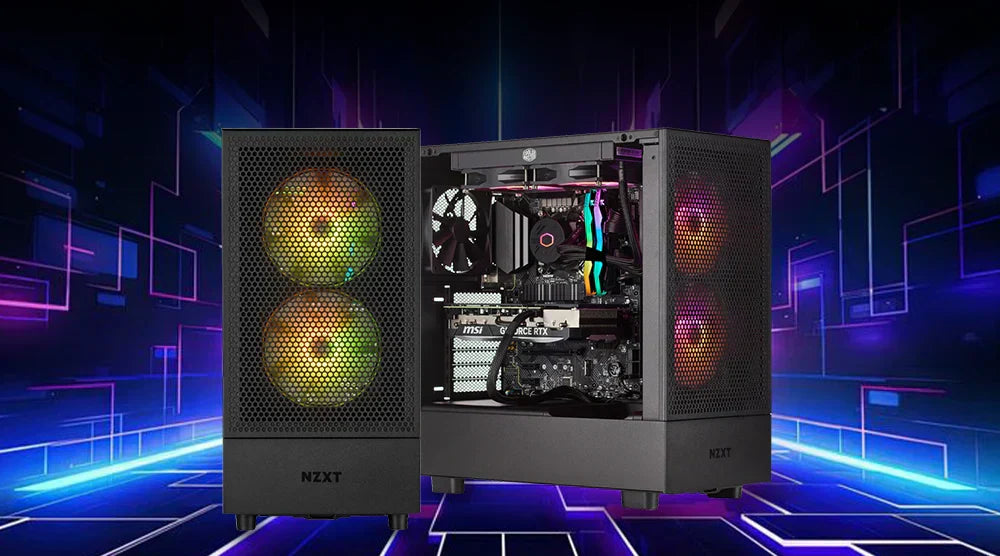
As games, creative apps, and even web browsers become more demanding every year, staying ahead of performance challenges is tougher than ever. Timely PC upgrades help you maintain peak performance without replacing your entire system.
Even minor adjustments can unlock major improvements, better thermals, faster load times, smoother frame rates, and more responsive multitasking.
This blog highlights the most important PC components to upgrade for longevity in 2026, keeping your system running at its best. Follow our expert tips to make smart, impactful PC upgrades and future-proof your setup for 2026 and beyond.
Upgrade to an NVMe SSD for Lightning-Fast Speeds
The greatest daily speed boost comes from switching to an NVMe drive if you are still using a SATA SSD or a traditional hard drive. You’ll experience near-instant boot times, significantly faster game loading, and noticeably quicker application launches, making your entire system feel far more responsive in everyday use.
NVMe on PCIe 4.0/5.0 can provide several GB/s throughput and significantly reduced latency compared with SATA's ~500 MB/s restrictions.
Tip: For bulk storage, keep a second SSD/HDD and use a fast NVMe as your OS plus applications drive.
Add Extra RAM for Flawless Multitasking
- Modern games and creative technologies: Video editing, 3D, and artificial intelligence tools, adore memory.
- Capacities in 2026: 16 GB is the starting point for gaming; 32 GB is a desirable level; creators may want 48–64 GB.
- Benefits of DDR5: At scale, greater bandwidth and better stability.
- Performance boost: Always combine sticks for dual-channel throughput; it is a free performance boost.
Upgrade Your GPU for Modern Gaming and Rendering
Visual accuracy continues to rise; GPU systems have advanced ahead. Advanced capabilities, including hardware-accelerated ray tracing and artificial intelligence upscaling (DLSS/FSR), are supported by the newest NVIDIA RTX 40-series and AMD Radeon RX 7000 GPUs.
These are among the best upgrades for higher FPS in PC gaming in 2026, especially for gamers targeting smoother gameplay and higher refresh rates.
Improvement Signals
- Your target refresh rate (e.g., 144 Hz) cannot be maintained at your preferred configuration.
- At greater resolutions or texture packs, you are VRAM-limited.
- Too long and disruptive to your workflow are transcoding or rendering jobs.
Bonus: Upscaling technology (DLSS/FSR/XeSS) helps, but a more potent GPU maintains continuous frame rates at more advanced settings.
Swap to a Newer, More Powerful CPU
Modern CPUs are built to handle simultaneous operations and demanding background tasks, keeping your system responsive even under heavy workloads. Upgrading your processor can deliver a noticeable boost in both gaming and productivity performance.
Higher turbo clock speeds and efficient core architectures enhance frame rates and smooth gameplay, while creators benefit from additional threads for rendering, editing, and multitasking. With newer instruction sets and larger cache designs, AI-assisted workloads, including encoding, effects, and inference tasks, scale more efficiently than ever.
Platform Notes: Before increasing the CPU, verify socket support and firmware (BIOS/UEFI) compatibility.
Install a Better Cooling System (Air or Liquid)
Overheating CPUs or GPUs can throttle performance, slowing down even high-end systems. Upgrading your cooling solution ensures your components run at optimal speeds and stay stable under heavy workloads.
Air coolers are cost-effective, quiet, and easy to maintain, making them a reliable choice for most users. AIO (All-in-One) liquid coolers excel under sustained loads, lowering overall case temperatures and keeping high-performance components cool.
Adjusting fan curves allows you to balance noise and thermal performance for everyday use, giving you both efficiency and comfort.
Upgrade to a High-Efficiency Power Supply Unit (PSU)
A dependable power supply helps steady your whole system and enables future components.
- Size it for peak loads plus 20–30% headroom to accommodate brief surges.
- An 80 Plus rating provides excellent efficiency and reduces waste heat; aim for Gold or higher.
- Fully or semi-modular PSUs enhance airflow and cable management, making future replacements and upgrades much easier.
Improve Your Motherboard for Next-Gen Compatibility
For future upgrades, your motherboard determines what you may install:
Key Characteristics
These considerations highlight the key motherboard features to prioritize for gaming productivity in 2026 when planning long-term upgrades.
- Many M.2 ports, strong VRMs for stable power delivery, PCIe 5.0 support for GPUs and SSDs, and DDR5 memory compatibility.
- High-speed connectivity options such as 2.5G Ethernet, Wi-Fi 6/7, front-panel USB-C, and additional USB ports make modern configurations simpler and more versatile.
A strong motherboard lets you install faster CPUs or cutting-edge SSDs without needing to modify other components, giving your system longevity and flexibility.
Get a Higher Refresh Rate Monitor
With the same GPU, a faster refresh rate changes the feel and sharpness.
- 144 Hz / 240 Hz, observe significantly smoother movement, less blur, and more precise target tracking.
- G-SYNC or FreeSync helps frame pacing and removes tears.
- Competitive shooters may push extreme refresh rates at 1080p; at 1440p / 4K, balance detail and fluidity abound.
Enhance Your Cooling with a Better PC Case and Airflow
A thermally optimized case can lower temperatures by several degrees, also helping to reduce system noise.
- Layout: Front-to-back airflow with mesh intakes, dust filters, and room for massive coolers or radiators.
- Cable management: Fewer barriers mean better cooling; use the grommet routes and PSU shroud.
- Fan approach: Two excellent intakes plus one exhaust offer a good foundation; only add more if the temperature rises.
Upgrade Your Peripherals for Maximum Productivity
Peripherals are often undervalued performance enhancers because they improve control, precision, and comfort
- Faster actuation and improved feedback for typing and gaming come from mechanical keyboards.
- Consistent flicks and micro-adjustments result from dependable sensors and reasonable weights.
- Good speakers or a headset highlight spatial cues and help to prevent weariness during extended sessions.
- Clear A/V is a professional-level improvement for remote workers and streamers using cameras and microphones.
Wrap Up
Upgrading your PC in 2026 doesn’t have to mean a full system overhaul. Strategic enhancements, from NVMe SSDs and extra RAM to GPUs, CPUs, and better cooling, can deliver noticeable improvements in speed, multitasking, and gaming performance.
Even small changes, such as optimizing airflow, upgrading peripherals, or selecting a high-efficiency power supply, can make your system feel brand new and future-proof for years to come.
Stay ahead of technology and gaming demands with smart, impactful upgrades. For more in-depth guides, expert tips, and the latest hardware insights, visit Tech Whiz Blog today and future-proof your system for 2026 and beyond.
FAQs
Q1. What is the most cost-effective PC upgrade in 2026?
An NVMe SSD is usually the best first step for most users. It slashes boot and load times, makes apps feel instant, and requires minimal installation effort.
Q2. How often should I upgrade my GPU or CPU?
Gamers typically upgrade the GPU every 3–5 years; creators may upgrade sooner if projects grow in complexity. CPUs can last 4–6 years if you aren't hitting core/thread limits.
Q3. Are upgrades worth it for older systems?
Yes, especially storage, RAM, and the latest PSU. If your system can't support DDR5 or modern CPUs/GPUs, plan a staged path that starts with "universal" wins first.
Q4. What should I upgrade first for gaming performance?
Target your bottleneck. For example, if FPS is low, prioritize the GPU; if stutters and long loads are the issue, go NVMe and RAM first.
Q5. Do I need a compatible motherboard for adding next-gen components?
Yes. To add PCIe 5.0 SSDs or the newest CPUs/DDR5 at full potential, a compatible motherboard with strong VRMs and updated BIOS is essential.
Q6. In terms of longevity, which desktop components are most likely to need upgrading?
Typically, GPUs, storage drives, and RAM are upgraded most frequently due to evolving software demands, while CPUs and motherboards tend to last longer if chosen wisely initially.


