



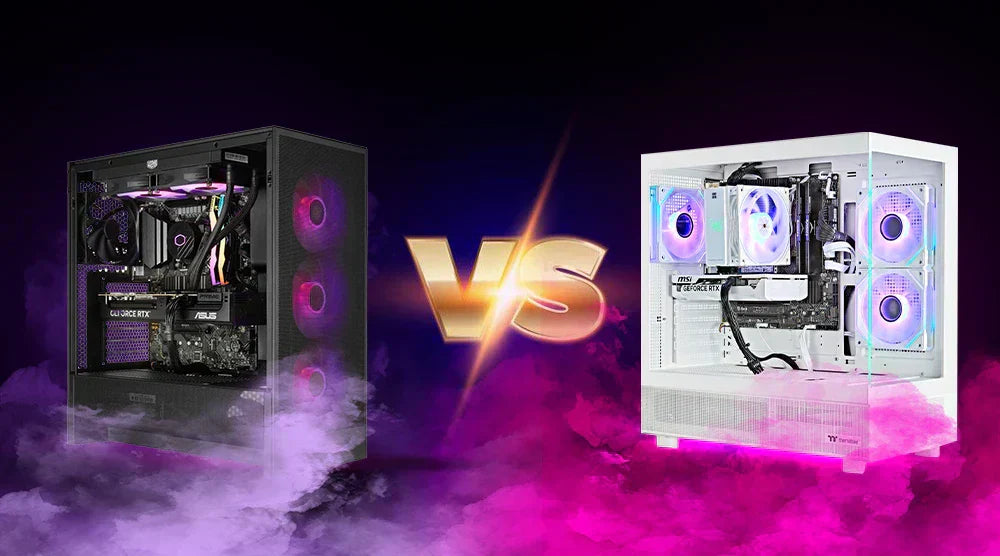
For gamers, choosing between prebuilt and custom PC options remains among the most critical decisions to make, one that has been ongoing for decades. Without overspending or obtaining components that won't keep up with contemporary titles, every player wants the perfect mix of performance, dependability, and price.
In this blog, we will compare Prebuilt vs Custom PC by covering the pros, cons, and key purchasing considerations, so you can confidently choose the best system for your gaming needs.
Understanding Prebuilt and Custom PCs
A prebuilt PC is a ready-to-use system put together by a manufacturer. These systems include pre-selected components, operating system installation, and advanced testing. These PCs are built for ease of use and will appeal to gamers wanting to plug in and play without the pressure of picking components or managing construction.
Conversely, a custom PC lets you choose every part: CPU, GPU, RAM, motherboard, chassis, power source, cooling, and more. You choose components suited to your aesthetic preferences, budget, and gaming requirements. Custom builds give you total control, whether you need RGB illumination, liquid cooling, or the most effective airflow.
In essence, one must decide between convenience and personalization, two quite different buying experiences.
Pros and Cons of Prebuilt PCs
Pros
1. Prepared for Instant Use
Prebuilt PCs are totally assembled, tested, and optimized. Turn on your monitor and peripherals, and you'll be gaming within minutes.
2. Guaranty and Customer Service
Having one warranty for the whole system is among the main benefits of prebuilt PCs. If anything breaks, you just phone the manufacturer.
3. No Technical Abilities Required
These setups are perfect for first-timers or gamers who find it difficult to pick and assemble parts.
Cons
1. More Costly For Same Specs
Assembly, branding, and manufacturer support incur an additional charge, so prebuilt PCs with mid-tier hardware often cost more than comparable custom builds.
2. Limited Options for Upgrades
Many prebuilt computers depend on generic motherboards, weak power supplies, or small chassis; hence, upgrades in the future are difficult.
3. Possible Bloatware
Certain prebuilt computers have extra software that slows down the system and reduces storage.
Pros and Cons of Custom PCs
Pros
1. Totally Customizable
You select everything, from cable color to GPU model. Custom computers offer unrestricted freedom if you want a high-airflow case or a quiet cooling system.
2. Better Performance Per Dollar
Because you forego extra brand markups, custom PCs often provide better performance than prebuilt PCs at the same price point.
3. Future Upgrades Made Simpler
You can replace GPUs, increase RAM, or put a better CPU cooler at any point using conventional parts.
Cons
1. Demands Technical Knowledge
Not everyone feels at ease constructing or repairing; hence, you must grasp compatibility (e.g., CPU sockets, RAM speeds, power supply wattage).
2. No Warranty
Each part has its own warranty rather than one system warranty.
3. Construction Takes Time
Searching for components, purchasing them, and putting everything together requires patience and time.
Performance Comparison: Prebuilt vs Custom PC
The main factor in the prebuilt vs custom PC debate is performance. Though most prebuilts list equal specifications first, some include inferior parts such as lower-end graphics cards, slower storage, or inexpensive cooling systems.
Custom computers usually outperform prebuilt PCs at the exact cost because:
- Rather than paying for gaudy RGB improvements, you might pick a stronger GPU.
- You can choose better cooling to raise FPS and reduce thermal throttling.
- You avoid the poor-quality, widely used basic components found in budget prebuilt PCs.
However, Prebuilt PCs can still be excellent for:
- Casual gameplay.
- Light esports titles include Valorant, CS2, and Fortnite.
- Gamers looking for builds or hardware-free experiences.
- First-time PC buyers looking for a reliable, hassle-free computer.
Cost Considerations
Prebuilt PCs
- Labour and assembly costs.
- Brand markings.
- More warranty levels.
- Preinstalled Windows license.
- Extra grouped software.
Custom PCs
- Full flexibility to pick budget or premium components.
- There is no unneeded bloating or add-ons.
- Permanent savings via upgradeability.
While a prebuilt PC provides time and convenience savings, a custom PC often provides better value per dollar.
Upgradeability and Future-Proofing
When it comes to future-proofing and upgradeability, custom PCs excel. To meet the demands of new games, standard-sized components make it simple to replace your GPU, upgrade your CPU, add more RAM, or install faster storage. Because of this flexibility, players can prolong the life of their system without having to replace the whole setup.
Prebuilt PCs, on the other hand, often come with proprietary motherboards, limited power supply capacity, or compact cases that restrict upgrades. While suitable for casual gaming, they may struggle to accommodate high-end components in the future.
Who Benefits Most:
- Custom PCs: Ideal for enthusiasts, competitive gamers, and those who want a system that can grow with their gaming needs.
- Prebuilt PCs: Best for beginners or casual gamers who prioritize convenience and don’t plan frequent hardware upgrades.
Expert Tips for Choosing Between Prebuilt and Custom PCs
Evaluate Your Gaming Needs
Are you into AAA titles, VR games, or esports? Different games need different specifications.
Set A Realistic Budget for Components
To guarantee a system that satisfies your needs without going over budget, take into consideration the GPU, CPU, cooling solutions, peripherals, and possible future upgrades when designing your PC.
Know Your Comfort Level
A prebuilt PC is the safer option for novices, providing a hassle-free experience. If you like learning about and experimenting with hardware, building a custom PC is perfect.
Research Components
Always consult the benchmarks for CPUs, GPUs, and SSDs.
Wrap Up
Choosing between a prebuilt and custom PC ultimately depends on your gaming goals, budget, and comfort level with hardware. Prebuilt PCs offer convenience, reliability, and quick setup, perfect for beginners or casual gamers. Custom PCs provide unmatched performance, flexibility, and long-term upgrade potential, making them ideal for enthusiasts and competitive players who want a system tailored to their exact needs.
At Tech Whiz, finding the perfect gaming solution is simple. Whether you’re after a high-performance prebuilt PC or want to design your own custom build, we offer both in one place.
Visit our store today and level up your gaming experience with confidence!
People Also Ask
1. For intense gaming, should one consider a prebuilt computer?
Yes, high-end prebuilt PCs can manage AAA titles even if they cost more than equivalent custom systems.
2. Later on, can you update a prebuilt computer?
Yes, but limited upgrades could be caused by proprietary components, miniature enclosures, or inadequate power supplies.
3. Do custom gaming PCs cost more than prebuilt ones?
Custom computers sometimes cost less for the same specifications since you avoid additional branding and production costs.
4. Does building a custom PC require technical skills?
Although having a basic understanding of PC components is beneficial, beginners can get started more easily thanks to the number of tutorials and guides.
5. Which choice offers superior dollar performance?
Custom PCs often deliver better performance per dollar because you can select each component to maximize value and avoid unnecessary extras.


