



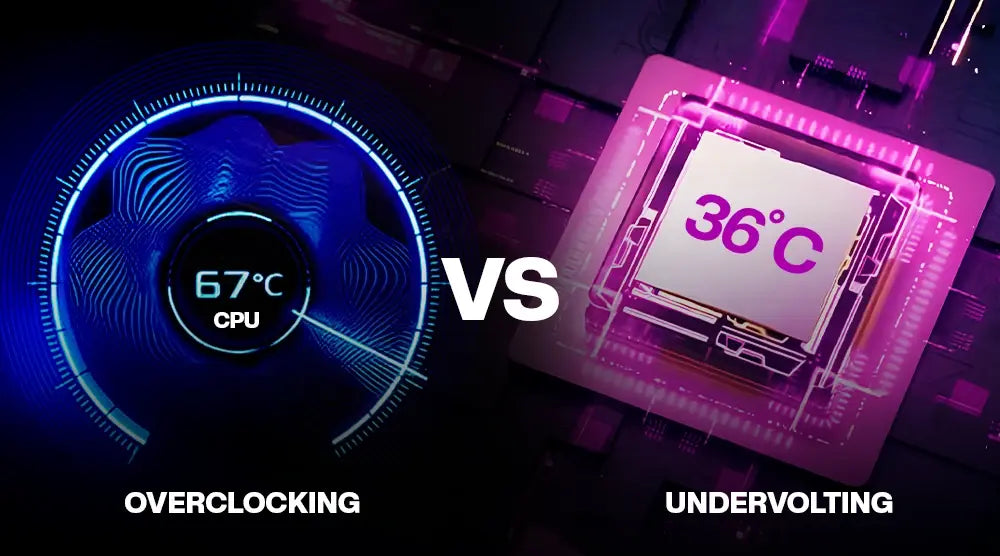
As gaming PCs become more powerful in 2026, gamers are constantly looking for ways to maximize performance. Two popular techniques, overclocking and undervolting, offer different paths to optimizing PC performance.
Overclocking pushes your hardware beyond factory limits for higher FPS and responsiveness, while undervolting focuses on efficiency, lowering heat and power consumption without sacrificing stability.
In this blog, we will compare overclocking vs undervolting, exploring their pros, cons, and ideal scenarios to help you choose the best approach for your gaming PC.
What Exactly Is Overclocking?
Overclocking is optimizing CPU and GPU performance or clock rate beyond its factory-specified parameters. It can revolutionize your gaming experience, especially for competitive gamers, if done properly.
Advantages of Overclocking
- Higher FPS: Higher clock speeds help your graphics processing unit and CPU run more frames per second in challenging games.
- Fast-paced games: Games like Valorant, Apex Legends, and Warzone stand to benefit significantly from enhanced responsiveness.
- Improved GPU durability (when managed): Maintaining steady temperatures during moderate overclocks can help your GPU perform reliably for longer.
- For high-refresh-rate monitors: Great for 144Hz, 240Hz, even 360Hz displays.
Risks of Overclocking
- Thermal issues: Uncontrolled temperatures can result in thermal throttling, which lowers performance and raises the possibility of overheating.
- Increased power consumption: Overclocked parts inherently consume more electricity, which increases energy expenses and heat production.
- System instability: Freezes, crashes, or blue screens can result from aggressive overclocking.
- Reduced lifespan: If mismanaged, high-voltage overclocking can permanently damage your CPU or GPU.
Typical Use Cases
- Competitive esports players.
- Streamers and gaming content creators.
- Gamers with high-end cooling setups.
- Players who prioritize maximum performance and responsiveness.
What is Undervolting?
Undervolting is the opposite of overclocking. It reduces CPU or GPU voltage while maintaining normal performance, optimizing power efficiency instead of pushing for higher speeds.
Benefits of Undervolting
- Lower temperature: This helps systems function well under load by reducing heat.
- Eco-friendly: Perfect for gamers who care about how much electricity they use.
- Quieter operation: Fans operate more quietly when there is less heat.
- Extended component life: Hardware is kept healthier by less heat stress.
- Excellent for gaming laptops: Especially helpful for laptops with poor cooling, guaranteeing improved performance during long sessions.
Risks of Undervolting
- Potential instabilities: Extreme voltage reduction may lead to abrupt shutdowns.
- Minimal FPS gains: Unlike overclocking, performance increases are modest.
Typical Use Cases
- For laptops that frequently overheat when under a lot of stress.
- For small, low-cooling Mini-ITX builds.
- For silent gaming PCs, where low fan noise is preferred.
- For extended gaming sessions that call for steady stability.
Overclocking vs Undervolting: Performance Comparison
Let’s compare overclocking vs undervolting to see how each technique affects performance.
Typical FPS Benchmarks
At 1080p:
- Overclocking: +10–15% FPS
- Undervolting: +0–5% FPS
At 1440p:
- Overclocking: +8–12% FPS
- Undervolting: +0–3% FPS
At 4K:
- Overclocking: +5–8% FPS
- Undervolting: 0–2% FPS
Energy Usage and Heat Production
- Overclocking: +10–20°C temperatures; +10–30% power usage
- Undervolting: –10–20°C temperatures; –10–30% power consumption
Stability Across Extended Sessions
- Overclocking works best when cooling is great.
- Undervolting suits laptops and long gaming sessions best.
Which Approach Is Successful?
It actually depends on your requirements. Select overclocking if raw performance counts. Undervolting would be the wiser choice if thermal efficiency is the main goal.
When to Choose Overclocking
You ought to select overclocking when:
- You seek the greatest responsiveness and maximum FPS.
- Your PC has a superior cooling system like AIO, bespoke loop, or enormous tower coolers.
- High-refresh-rate monitors demand more frames to fully profit.
- You are a competitive gamer, streamer, or content creator.
- Manufacturers deliberately restrict your GPU or CPU's headroom for safety margins.
When to Choose Undervolting
Undervolting is ideal if:
- If you use a laptop with strict thermal limits.
- You are building a small form-factor PC, or Mini-ITX.
- You want a low-noise gaming setup with few fans.
- You want to naturally increase the longevity of your components.
- During gaming, your system frequently gets hot.
Tools and Software for 2026
With very steady utilities accessible, the tuning environment continues to grow in 2026.
Overclocking Tools
- MSI Afterburner: Still the standard for GPU tuning.
- AMD Ryzen Master: Suitable for tracking Ryzen CPU performance.
- EVGA Precision X1: Excellent for overclocking Nvidia GPUs.
Undervolting Tools
- ThrottleStop: A potent Intel laptop voltage-control tool.
- Intel XTU: Recommended for desktop computers as Intel's official utility.
- AMD Adrenalin Software: Built-in voltage management and tuning for Radeon GPUs.
Monitoring Software
- HW Monitor
- GPU-Z
- CoreTemp
- HWiNFO64
These help monitor real-time system performance, clock speed behavior, voltage stability, and temperatures.
Wrap Up
In 2026, understanding overclocking vs undervolting is key for gamers aiming to maximize their PC’s performance. Overclocking boosts FPS and responsiveness for competitive gameplay, while undervolting provides cooler, quieter, and more efficient systems, ideal for extended gaming sessions.
By evaluating the pros, cons, and best use cases of each method, you can select the approach that perfectly matches your gaming setup and goals.
For gamers seeking a ready-to-go solution, TechWhiz Inc. offers a range of high-performance, affordable gaming PCs designed to handle both overclocking and undervolting with ease.
Explore our lineup today and enjoy peak performance, stability, and efficiency, without compromising your budget.
People Also Ask
Will modern CPUs and GPUs be safe to overclock in 2026?
Yes. Modern CPUs and GPUs can be safely overclocked as long as temperatures and voltage levels are carefully monitored. Most manufacturers include built-in safety features to prevent damage when used correctly.
Can undervolting improve FPS or just reduce heat?
Although undervolting primarily reduces heat and noise, minor FPS gains may result from reduced thermal throttling.
What software would one choose to monitor performance while tuning?
HWiNFO64, GPU-Z, and HWMonitor are the best tools for monitoring temperature, voltage, and system stability.
Might I mix undervolting and overclocking?
Yes. In order to balance improved performance with reduced power consumption and heat, many gamers combine modest overclocks with undervolting.
Which tuning approach is best for long gaming sessions?
Undervolting is a better option for long gaming sessions because it lowers temperatures, minimizes fan noise, and sustains system stability over time.


