



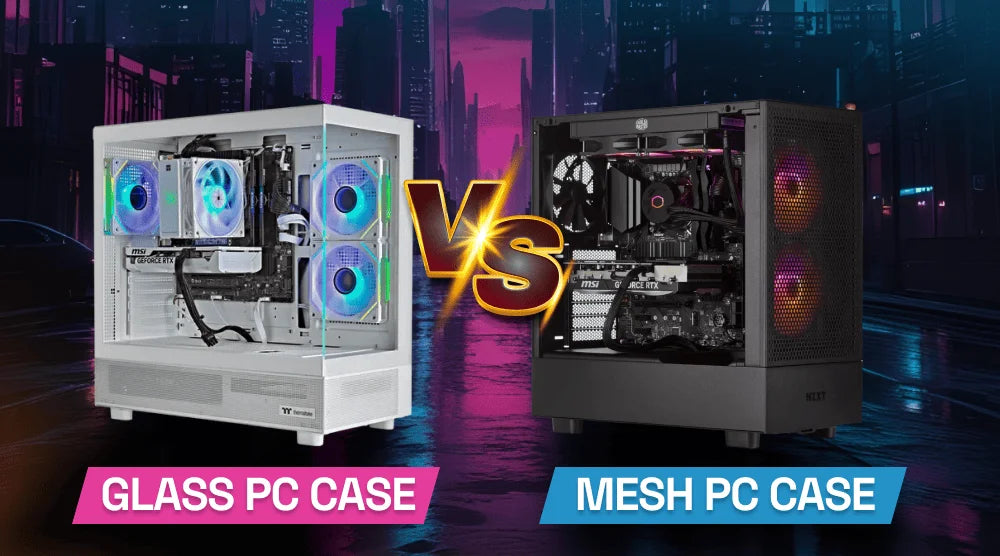
Modern gaming PCs are no longer judged by frame rates alone. In 2026, gamers care just as much about cable management, RGB lighting, quiet operation, heat control, and overall aesthetics. That’s why the Glass vs Mesh PC Case debate has become more important than ever.
Your PC case plays a key role in system stability, noise levels, component lifespan, and cooling efficiency. High-performance GPUs can generate significant heat during demanding AAA games, making airflow a crucial factor rather than just a design preference. Poor airflow can affect long gaming sessions, increase fan speeds, and even reduce sustained performance due to thermal throttling.
In this blog, we’ll break down the key differences between glass and mesh PC cases, how they impact real-world gaming performance, and which option is best suited for your gaming setup in 2026.
What Is a Glass PC Case?
A glass PC case has side, front, or both tempered glass panels. Its primary goal is visual exhibition. Because they highlight the graphics card, fans, motherboard, liquid cooler, and custom cables, these cases are often used in RGB-heavy systems.
Showcase PCs and streaming setups often use glass cases because they highlight internal components like RGB lighting, custom cooling systems, and neatly managed cables.
When both performance and visual appeal matter, glass cases are a suitable choice, especially for builds designed to impress as well as perform.
Key Traits
- Front or side panels that are see-through.
- Premium visual design.
- Perfect for RGB lighting.
- Cleaner displaying Outlook.
- In many designs, airflow is more limited than mesh.
The most significant disadvantage is airflow. A glass front panel can limit how much fresh air reaches the fans, particularly if the front intake uses narrow side vents.
What Is a Mesh PC Case?
A mesh PC cover features a front panel that is either perforated or ventilated. It is made to reduce resistance and boost airflow into the system. This makes it a great option for players utilizing strong CPUs and GPUs.
For a high-end gaming build, mesh cases are often preferred as they facilitate faster heat evacuation. While they might not always have the same smooth appearance as glass-front enclosures, modern mesh designs can nevertheless seem sophisticated and elegant.
Key Features
- Design of a high-volume air intake.
- Improved heat removal.
- Intensive cooling for gaming equipment.
- Performance-first, functional design.
- If filters are not maintained, more dust intake occurs.
Many contemporary gaming PC builds benefit from a hybrid design: a tempered glass side panel with a mesh front panel.
Glass vs Mesh PC Case: Key Differences
Airflow and Cooling Performance
Usually, mesh enclosures chill better since air can flow more freely across the front panel. Fans that take in air can push fresh air straight towards the GPU and CPU cooler.
Although glass cases with good ventilation may still function well. A glass case with a bottom intake, side intake, or large side vents may be safe. But a glass front that is totally enclosed could keep more heat in.
Fact: According to statistics, Hardware Canucks discovered that taking off the front mesh panel on one case dropped GPU temperature by roughly 1°C and CPU temperature by about 2°C, demonstrating that airflow limitations may measurably impact thermals, while results vary depending on case design.
Effect on Gaming Performance
A case won't directly boost FPS as a new graphics card would. Still, it can help hardware keep boost clocks running longer. Fans turn faster, and parts could lower performance to safeguard themselves when temperatures get too high.
This is the reason many customers ask: Do glass PC cases overheat gaming PCs? Not all of them with adequate fan arrangement, a quality glass enclosure may operate safely. But a high-end GPU combined with a constrained glass-front enclosure has a greater probability of running hotter.
Stable cooling is essential for competitive gaming since long games might stress the GPU and CPU continuously.
Design and Appeal
For visual appeal, glass displays are the clear winner. They are perfect for RGB lovers, vertical GPU mounts, white constructions, and custom liquid cooling circuits.
Mesh cases put an emphasis on utility. Having said that, several 2026 mesh solutions provide tempered glass side panels, clean designs, and concealed cable channels. You do not have to decide between attractive airflow and effective cooling.
Noise Levels
Since glass panels are more rigid, they can obstruct certain noise. Mesh panels are more open; thus, it could be simpler to hear fan noise.
Mesh cases, though, let airflow be less constrained, hence enabling fans to rotate at lower RPM. A mesh case may be silent and cool if the fan curve is set well.
Dealing with Dust
Mesh covers draw more air, hence possibly more dust as well. Important are dust filters. If your PC is close to carpet, animals, or open windows, clean them every few weeks.
From the outside, glass cases could seem cleaner, but if ventilation is poor, dust still gathers inside.
Comparing Prices
Budget and premium versions of both case kinds are offered. An inexpensive mesh cover with adequate airflow might surpass a trendy glass casing with poor intake. A high-quality glass cover with side fans and intelligent ventilation can still work well.
This is why any gaming computer case evaluation should go beyond looks.
Performance Comparison of Real-World Games
The GPU normally generates the most heat while playing AAA games. Front fans may send chilly air straight to the graphics card in a mesh situation. Fans could find it difficult to draw air through narrow openings in a limited glass container.
This can influence:
- Temperature of the GPU.
- CPU cooler effectiveness.
- Fan noise.
- Stability in FPS.
- Long-term component comfort.
Usually, mesh is the better option if you want the best pc case for airflow and cooling.
What PC Case Is Best For Gaming?
Choose a Glass PC Case If:
- You're looking for a high-quality RGB arrangement.
- You use mid-range equipment.
- You value aesthetics above all else.
- You require a PC for exhibition purposes.
- You are not running extreme heat loads.
For casual players and builders who want their PC to blend into their room design, glass is a great option within modern gaming PC builds.
Select a Mesh PC Case If:
- You employ a premium GPU.
- You play demanding AAA titles.
- You stream throughout gaming.
- You aspire for colder temperatures.
- You place performance stability as a high priority.
Mesh is typically preferable for a PC case for a high-end gaming build.
Who Should Use Glass vs Mesh PC Cases?
- Casual Players: If their gear is powerful and the cover offers adequate airflow, casual players can use glass cases.
- Competitive Players: Mesh is the preferred choice for competitive players as consistent temperatures will lower performance dips and fan noise.
- Streamers: They should choose based on their workloads. Mesh is the better choice if you game, stream, record, and operate background apps all concurrently.
- PC Enthusiasts: For performance-oriented systems, PC fans typically favour mesh.
Common Mistakes When Choosing a PC Case
Stay clear of these mistakes:
- Prioritizing appearances over airflow.
- Ignoring GPU heat output.
- Using terrible fan placement.
- Forgetting the filter for dust.
- Obstructing airflow using disorganized wiring.
- Buying a case with a restricted upgrade room.
- Ignoring room temperature.
If your fans are constantly loud and your GPU is running hot, even the most visually stunning case won’t add real value.
Expert Tips for Better PC Cooling
Use these easy cooling techniques:
- Make the front or bottom fans take in air.
- Mount rear or top fans to exhaust.
- Clean the dust filters often.
- Use fans that are both high-quality and have PWM control.
- Keep cables out of the way of airflow.
- Leave the GPU plenty of space.
- Change fan curves using software or BIOS.
Good airflow design can improve the performance of both glass and mesh cases.
Wrap Up
In 2026, selecting between a glass and mesh PC case will depend on what you prioritize in your gaming rig. A tempered glass case provides unrivaled aesthetics if your top priority is a visually striking design with RGB lighting and a tidy display appearance. A mesh casing is the better option, though, if you prioritize lower hardware temps, steady frame rates throughout extended gaming sessions, and superior cooling performance.
The key takeaway is simple: a PC case should support your performance, not limit it. With modern hybrid designs now offering both airflow and style, you don’t always have to sacrifice one for the other, but understanding your needs is what ensures the best build experience.
If you’re still unsure which case suits your gaming setup, TechWhiz Inc. can help you make the right choice. From airflow-optimized custom builds to full gaming PC planning, our experts ensure your system runs cool, quiet, and performance-ready.
Visit TechWhiz Inc. today to get expert guidance and build the perfect custom gaming PC for 2026 and beyond.
People Also Ask
For gaming performance, is a mesh or glass PC case superior?
Usually, mesh is preferable for gaming performance stability since it raises airflow and keeps parts cooler.
Does mesh enhance PC cooling noticeably?
Particularly in high-heat builds, yes. The degree to which a mesh PC case cools is determined by the case, fans, GPU, and ambient temperature.
Do glass PC cases cause overheating?
Yes, inadequately ventilated glass cabinets might run hot. Well-designed glass cases with adequate airflow can still be considered safe.
What PC casing is ideal for high-end GPUs?
Usually, a mesh-front enclosure is preferred for high-end GPUs as it supplies the graphics card with more fresh air.
Are mesh PC cases noisier than glass cases?
Not all the time. Because they allow better airflow, which lets fans run at lower speeds, mesh cases may actually be quieter. However, they may let more fan noise pass through compared to glass cases, which dampen sound more.


