



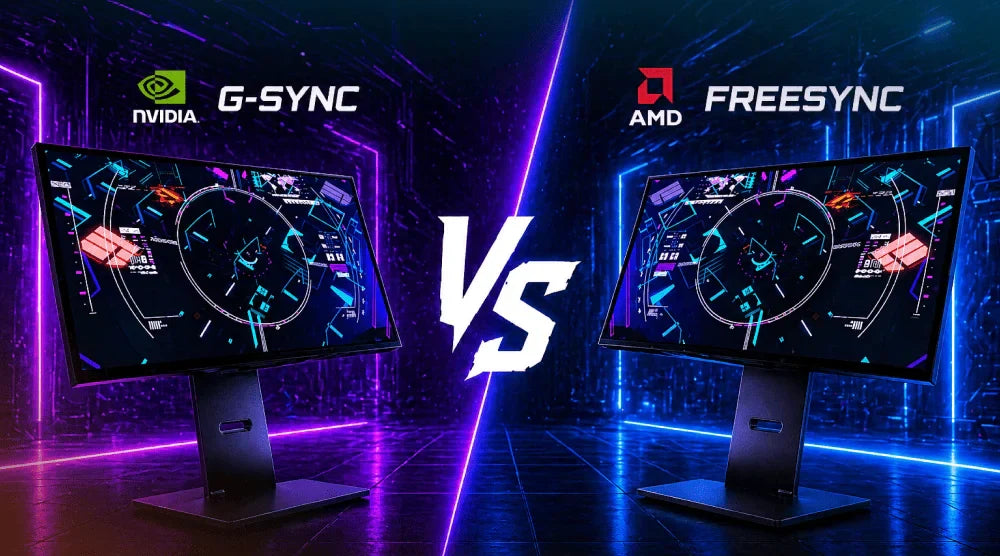
Two things that can ruin a good game are screen tearing and stutter. At one second, your target seems fixed, the next, your picture shatters during a rapid flick. That is why adaptive sync is more important than ever for modern gaming, whether you play esports titles at 240Hz or cinematic AAA games at high settings.
Most players are concerned about the G-SYNC vs FreeSync debate: Which option offers the best experience in 2026?
In 2026, screen tearing and stuttering remain key issues that can affect gaming performance and visual smoothness. However, the situation has become more nuanced than in the past. NVIDIA has significantly expanded support for G-SYNC Compatible monitors, while AMD continues to promote FreeSync across a wide variety of displays and price ranges.
NVIDIA still positions native G-SYNC as its premium tier, offering a full VRR range and advanced features like variable overdrive for more consistent, refined performance. Meanwhile, AMD’s FreeSync remains a widely accessible and flexible solution, working across both HDMI and DisplayPort to deliver smooth gameplay to a broader range of users and setups.
This guide breaks down everything you need to know so you can confidently choose the right display for your gaming PC in 2026.
What Is Adaptive Sync Technology?
Adaptive sync technology works by matching the display’s refresh rate with the frame rate produced by your GPU. This synchronization helps reduce visual artifacts such as screen tearing and stuttering, resulting in smoother motion and a more responsive gaming experience.
In simple terms, the display dynamically adjusts in real time to match the output of your graphics card. Instead of relying on a fixed refresh rate, it continuously adapts to changing frame rates during gameplay. This not only improves visual consistency but also helps minimize tearing and reduces stutter for a more stable and fluid gaming experience.
Why It Matters for Gamers
For gamers, the reward is clear:
- Better gameplay.
- Smoother motion when panning the camera.
- Improved visual clarity in fast scenes.
- A more consistent sensation in competitive games.
This is important in shooting games, racing games, battle royales, and large open-world games alike.
What Is G-SYNC?
G-SYNC is NVIDIA’s proprietary adaptive sync technology. It is divided into categories: G-SYNC Ultimate, G-SYNC, and G-SYNC Compatible.
NVIDIA hardware or NVIDIA-defined processing is included in native G-SYNC and G-SYNC Ultimate monitors for maximum performance. Comparatively, G-SYNC Compatible monitors are approved to satisfy NVIDIA's minimum VRR criteria without any specialized hardware.
Key Features
Native G-SYNC has:
- Ultra-smooth VRR behavior.
- Low latency adjustment.
- Variable overdrive.
- Premium certification criteria.
NVIDIA has also included features such as Reflex Analyzer in some monitors, and more recent motion-clarity features on the higher-end.
Pros
The most important attributes of G-SYNC are its stability and refinement. Native models usually appeal to consumers who need coherent VRR performance across the refresh stack, high-quality control, and stringent optimization for GeForce GPUs.
That is why NVIDIA's unique adaptive sync technology still has a premium reputation in the display market.
Limitations
The disadvantage is price. Native G-SYNC monitors normally cost more, and the greatest versions are typically targeted at high-end consumers. NVIDIA's own range considers native G-SYNC the upscale tier, while G-SYNC Compatible targets the wider market, even in 2026.
What Is FreeSync?
AMD developed FreeSync, an adaptive sync standard constructed upon VESA Adaptive-Sync. AMD claims it operates over HDMI and DisplayPort, which has contributed to its global expansion to thousands of displays.
AMD also points out that the latest NVIDIA GeForce cards with DisplayPort Adaptive-Sync should be compatible with FreeSync displays.
Key Characteristics
FreeSync provides:
- Support for variable refresh rates.
- Extensive monitoring availability.
- Budget-friendly alternatives.
- Tiered certifications such as FreeSync, Premium, and Premium Pro.
AMD's Premium and Premium Pro levels include more rigorous criteria like higher refresh thresholds and low-framerate compensation.
Benefits
Value is the main benefit of FreeSync. It is available on entry-level, mid-range, and flagship displays. For players who seek strong VRR performance without breaking the bank, this makes it appealing.
Limitations
When it comes to cons, quality differs most by model. Some FreeSync displays are fantastic, whereas others are merely okay. In other words, the badge itself is insufficient.
The label is just as important as the motion management, flicker, and execution quality, according to unbiased reviewers.
G-SYNC vs FreeSync: Key Differences
Performance Comparison
In the perennial G-SYNC vs FreeSync debate, G-SYNC had the stronger argument for premium consistency. That difference is less in 2026.
RTINGS found that while both native G-SYNC and FreeSync provide comparable general functionality and performance for PC gaming, native G-SYNC still holds advantages in specific premium implementations like variable overdrive and certain motion features.
Hardware Requirements
Historically, native G-SYNC has relied on particular NVIDIA hardware or very regulated platform requirements. FreeSync is supported by software and standards, which increases acceptance and lowers costs.
By validating compatible third-party adaptive sync monitors, NVIDIA's G-SYNC Compatible program closes part of this distance.
Price Differences
If price is a consideration, FreeSync usually comes out on top. There are just more reasonably priced choices available. Native G-SYNC still typically ranks among the premium options.
Compatibility
Compatibility has increased significantly. FreeSync is said to operate with Radeon cards by AMD, and GeForce 10-series and new GPUs with DisplayPort Adaptive-Sync capabilities are also anticipated to work.
Meanwhile, NVIDIA approves several G-SYNC Compatible displays that lack native G-SYNC hardware.
Responsiveness and Input Lag
The panel speed and tuning of your monitor will still count, even though adaptive sync can eliminate distracting artifacts and make the image look smooth.
Reaction time, the control of overshoot, and the refresh rate should be as important to competent gamers as the sync label. This fact is sometimes overlooked in the G-SYNC vs FreeSync controversy.
It is wise to compare official AMD FreeSync levels with current monitor reviews midway through your purchasing process before deciding finally.
Which One Should You Choose in 2026?
For NVIDIA Users
For NVIDIA users, the easiest choice is a G-SYNC Compatible or native G-SYNC display. If you want the best image quality, smoother performance, and top-tier HDR tuning, native G-SYNC is still the premium option.
For AMD Users
FreeSync is the clear winner. On several displays, you receive broad options, cheaper pricing, and good performance.
For Budget Gamers
Usually, FreeSync is the better option. You may acquire VRR and high refresh rates without going overboard.
Professional / Competitive Gamers
Do not pick by badge alone. Look for 240Hz or higher, quick response times, effective flicker control, and verified VRR capability.
Common Myths About G-SYNC and FreeSync
"FreeSync is always worse than G-SYNC".
Not correct. Many FreeSync displays provide outstanding performance. The way something is put into practice counts more than its brand.
"For seamless gaming, you require costly displays".
No longer. Many reasonably priced VRR monitors will be available in 2026.
"Adaptive sync is just for high-end computers".
False as well. VRR benefits all frame-rate ranges, even those of mainstream systems.
How to Choose the Right Monitor
Refresh Rate
The sweet spot is still at 144Hz. For competitive gaming, you may choose 240Hz or more.
GPU Compatibility Check
Check the display's VRR compatibility to make sure it's compatible with your GPU and the connection you're using.
Panel Types
IPS provides vibrant colours and wide viewing angles, whereas VA often delivers superior contrast, and TN maintains speed benefits in some esports monitors.
Performance vs Budget Equilibrium
If a well-reviewed FreeSync or G-SYNC Compatible monitor already meets your needs, there’s no need to spend extra on a native G-SYNC display.
Certification Levels (G-SYNC Compatible, FreeSync Premium)
Look for certifications like G-SYNC Compatible, G-SYNC, FreeSync Premium, or FreeSync Premium Pro, but don’t rely on the label alone.
Always check real-world performance reviews before making a final decision.
Wrap Up
The G-SYNC vs FreeSync debate in 2026 is less about which one is “perfect” and more about which one fits your setup, budget, and gaming style. Both technologies deliver smooth, tear-free gameplay when implemented well, and the real difference often comes down to monitor quality, refresh rate, and real-world tuning rather than just the label on the box.
If you’re building or upgrading a gaming setup, focus on balanced performance: good VRR support, strong refresh rates, and proven display reviews. Whether you choose G-SYNC or FreeSync, the right monitor can significantly improve your overall gaming experience.
For more expert guides, prebuilt gaming PCs, business computers, and fully custom PC builds tailored to your needs, TechWhiz Inc. has you covered.
Visit TechWhiz Inc. today to upgrade smarter and game better in 2026.
People Also Ask
Does G-SYNC outperform FreeSync?
Not every time. Native G-SYNC has greater tuning and consistency capabilities, but many FreeSync monitors also deliver excellent real-world gaming performance.
Can FreeSync be used by NVIDIA GPUs?
Yes. NVIDIA GPUs from the GTX 10-series and newer can support many FreeSync monitors through DisplayPort Adaptive-Sync compatibility.
Does FreeSync decrease input lag?
FreeSync can improve responsiveness by reducing tearing and stuttering, but overall input lag also depends on the monitor’s panel quality and processing speed.
Is G-SYNC worth the extra money?
It can be especially appealing to consumers who want excellent HDR, steady VRR, and high-end esports functionality.
What sync technology would be best for competitive gaming in 2026?
The monitor with the best overall motion performance is the best competitive choice, not just the one with the nicest logo on the box.


