



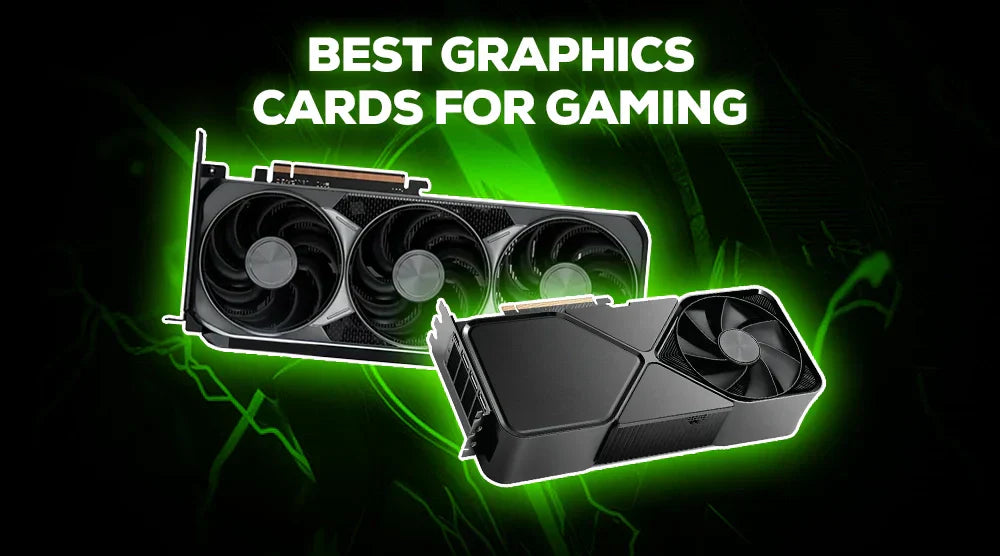
Choosing the right graphics card is more crucial than ever in 2026, as modern games demand higher resolutions, realistic lighting, and AI-powered characteristics. With trends like real-time ray tracing, AI upscaling, and greater power efficiency becoming standard, picking the right graphics card can make all the difference in performance and longevity.
In this guide, we will highlight the best graphics cards for gaming in 2026 for every budget, whether you're building a high-end gaming machine, a mid-range PC, or an entry-level rig to make your gaming experience genuinely unforgettable.
How to Select the Right GPU for Gaming
Choosing a graphics card for gaming involves more than just maximum power. You'll be able to make a better choice if you understand how compatibility, cost, and performance levels impact GPU selection.
Performance Levels
- 1080p gaming: Perfect for competitive games and esports.
- Gaming at 1440p: Both visuals and performance are excellent.
- 4K gaming: At the maximum settings, provide cinematic experiences.
Budget Considerations
- Budget GPUs enable users to prioritize efficiency and cost savings.
- Mid-range options are the ones that yield the best value for money.
- High-end devices deliver flawless quality and durability.
Compatibility
- Before buying a GPU, ensure your PSU provides enough power and the required connectors, the GPU fits comfortably in your case, and your motherboard supports the card for optimal performance.
Future Proofing
- Picking the perfect GPU for gaming calls for finding an equilibrium between current demands and those of tomorrow.
Best Graphics Cards for Gaming in 2026
Entry-Level GPUs (Under $300)
- These GPUs are simple and power-efficient, making them an ideal choice for anyone looking for the best GPU for 1080p gaming around $300 in 2026.
- Best fit: First-time PC builders, esports competitors, and casual gamers.
1. RTX 5060 Black
Features:
- Designed for 1080p gaming.
- Low power consumption.
Pros:
- Affordable entry-level option.
- Quiet and effective.
- Outstanding for esports games.
Cons:
- Limited ray tracing capabilities.
- Not best for 1440p extreme settings.
2. RTX 5060 TI Black
Specs:
- Slightly higher clock speeds.
- Improved cooling system.
Pros:
- Better frame rates than the base model.
- Good price-to-performance ratio.
Cons:
- Future-proofing for demanding AAA titles is limited.
Mid-range GPUs ($300–$800)
- Most people choose this group because it provides the finest balance of performance and cost.
- Perfect for: Mainstream gamers who want great frame rates without going over budget.
1. White RTX 5060 TI
Specs:
- Solid 1440p and strong 1080p performance.
Pros:
- Very good efficiency.
- Clean performance in terms of temperature.
- Stylish, well-designed.
Cons:
- Average ray tracing effectiveness.
2. RTX 5070 Black
Specs:
- Designed for 1440p high-refresh.
Pros:
- Great assistance with ray tracing.
- Smooth performance in modern AAA titles.
Cons:
- Calls for a good PSU.
High-End GPUs (Above $800+)
- These GPUs are considered among the best value GPUs for 4k gaming in 2026 for users who want high-end performance without unnecessary compromise.
- Perfect for: Serious gamers, content creators, and VR enthusiasts.
1. RTX 5070 TI Black
Specs:
- Large VRAM capacity.
- Advanced AI acceleration.
Pros:
- Superb 4K performance.
- Solid ray tracing and DLSS.
Cons:
- Premium Pricing.
2. RTX 5080 Black
Specs:
- Best performance.
- Built for upcoming gaming titles.
Pros:
- 4K ultra-settings.
- Excellent endurance.
Cons:
- Require a high-end PSU.
Tips to Maximize GPU Performance
Even the finest GPU has to be properly optimized to operate at its best. These techniques enable peak GPU performance without incurring further expense:
- Keep GPU drivers updated.
- Adjust in-game settings depending on the resolution.
- Steer clear of bottlenecks in the CPU and PSU.
- Ensure adequate cooling and ventilation.
Frequent upkeep helps to considerably prolong hardware stability and lifespan.
Making Your Gaming Setup Future Proof
- Choose a GPU that will be useful for three to five years and can run modern games with ease. Consider performance, VRAM, and support for modern features.
- As these features are becoming standard, look for GPUs with enhanced ray tracing, AI-driven upscaling (DLSS/FSR), and greater power efficiency.
- Upgrading should only be done if your current GPU limits gameplay, has issues with new games, or lacks essential functionality. Otherwise, by optimizing drivers and settings, it can be extended without unnecessary investment.
Wrap Up
In 2026, selecting the best graphics card requires striking a balance between compatibility, cost, and performance. Entry-level GPUs excel at 1080p esports and casual gaming, mid-range cards offer the best value for fluid 1440p gaming, and high-end GPUs offer the best 4K performance, ray tracing, and AI-enhanced features.
You can make an informed decision that will keep your system strong for many years to come by being aware of both present and future requirements.
Ready to level up your gaming?
Build your dream PC at TechWhiz Inc. with the latest GPUs and high-performance components, and dominate every game like a pro!
FAQs
Which GPU gives the best performance at 1080p gaming on a budget?
The RTX 5060 BLACK is one of the best entry-level GPUs that delivers 1080p stunning performance at a low price point.
Is a mid-range GPU worth it?
Yes. Mid-range GPUs offer excellent performance, good longevity (up to 7 years), and the best value for most gamers.
Can budget GPUs still play modern AAA games smoothly?
They are capable of playing the latest titles at 1080p with less demanding settings, but super-quality might not be possible sometimes.
How much VRAM does one need for 1440p or 4K gaming?
12 GB VRAM is ideal for 1440p gaming, while 16 GB or more of VRAM is recommended for fluid 4K performance, especially in modern AAA titles.
Is it worth investing in a higher-end graphics card if I only play casual games?
For most casual gamers, a high-end GPU is not necessary. A mid-range card usually provides better value unless you also want future-proofing or higher resolution gaming.


