



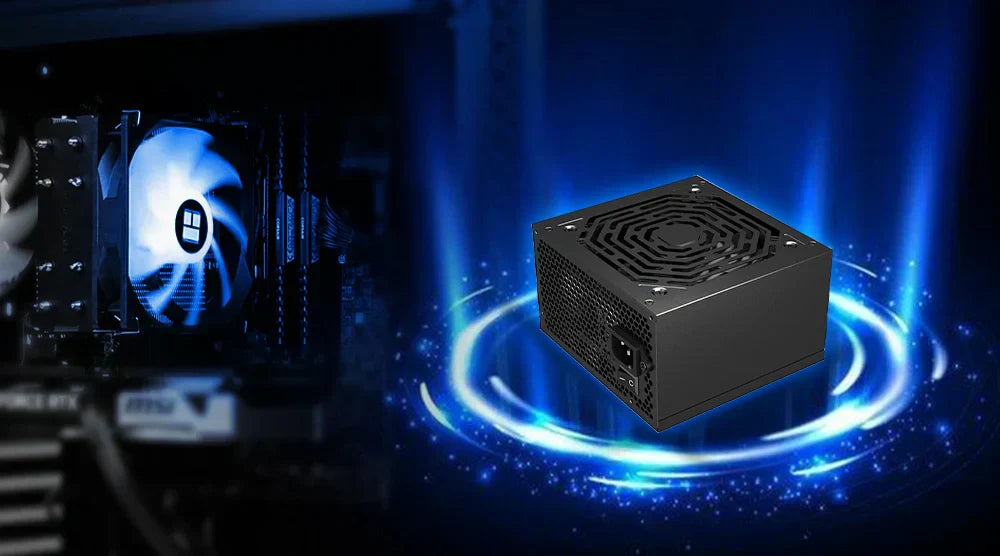
Building or improving a gaming computer in 2026 is no longer just picking the quickest CPU or GPU. Hardware standards are changing, energy needs are increasing, and efficiency is more important than ever.
Choosing the ideal power supply for a gaming PC nowadays is a crucial decision that directly affects performance, stability, and long-term reliability. The importance of a high-end PSU in a PC build in 2026 cannot be ignored when dealing with modern GPUs and demanding workloads.
In this PSU buying guide, we will cover everything you need to know to choose the best power supply for a gaming PC to get future-proof performance.
Let's dive in!
Why Your Power Supply Counts More Than You Believe
Your gaming PC's backbone is the power supply unit. It changes the electrical supply from your wall into steady, clean power for every part in your system.
The best power supply for a gaming PC guarantees:
- Good GPU and CPU performance.
- Shield against voltage drops and power surges.
- Longer lifespan for pricey components.
- Fewer system failures and shutdowns.
However, inexpensive or underpowered PSUs can lead to serious issues like coil whine, overheating, intermittent reboots, and even irreversible hardware damage. In 2026, when GPUs demand power in a forceful and dynamic manner, PSU quality cannot be compromised.
Know the True Wattage Your Needs Are
One of the most frequent errors players make is either underestimating or dramatically overestimating wattage requirements.
Contemporary GPU Power Needs
Especially under peak gaming loads, present and future GPUs are more power-hungry than they have ever been. Power surges abound; thus, capacity is quite important.
Suggested Wattage According to Build Sort
- 550–650W for entry-level gaming PCs.
- 650 to 750 watts for mid-range RTX 4060 / 4070 builds.
- 850–1000W for high-end builds using RTX 4080 / 4090.
- 1000W to 1200W for extreme future-proof constructions.
How to Determine Appropriate Wattage
Estimate the whole system draw using the best PC wattage calculators, then allow 20–30% headroom. This makes space for upgrades and guards against momentary fluctuations.
Explaining Efficiency Rankings
Efficiency rankings reveal how well a PSU turns AC current into useful DC voltage.
Gold vs Platinum vs Titanium vs Bronze
- Bronze: Basic effectiveness.
- Gold: perfect equilibrium between price and effectiveness.
- Platinum/Titanium: Premium efficiency for enthusiasts.
For most gamers in 2026, an 80 Plus Gold PSU remains the most desirable. It reduces heat output, minimizes energy loss during prolonged gaming sessions, and reduces fan noise.
Better thermal performance and reduced electricity costs are two more benefits of increased efficiency that are crucial for modern gaming setups.
Modular vs Semi-Modular vs Non-Modular PSU
Good cable management influences build aesthetics, temperatures, and airflow.
Non-Modular
- All cables are attached permanently.
- Most economical option.
- Untidy cable organization.
Semi-Modular
- Key cable connections.
- Removable extra cables.
- Most gamers have a good balance.
Completely Modular
- Any cable can be disconnected.
- Greatest airflow and cleanest builds.
- Best for mid to high-end systems.
Semi-modular or completely modular power supplies are advised for most builds in 2026, especially when using small casings or high-performance GPUs.
PCIe 5.0, ATX 3.1, 12V-2x6: What Changed in 2026
To satisfy the needs of contemporary gaming PCs, PSU standards have changed in 2026 with the introduction of ATX 3.1, PCIe 5.0, and the 12V-2x6 connector. While retaining backward compatibility with older components, these next-generation connectors give high-end GPUs steady, effective power.
The 12V-2x6 is crucial for dependable, future-proof PC building because it increases safety by lowering the risk of overheating and power surges when compared to the previous 12VHPWR design.
Single Rail vs Multi Rail PSU: Which Is Better for Gaming?
This describes how authority is shared inside.
Single Rail
- Everything is powered via a single rail.
- Less complicated layout.
- Popular for expensive graphics cards.
Multi Rail
- Power is divided among several rails.
- Superior overcurrent protection.
- Somewhat more sophisticated.
Modern gaming systems benefit from either approach. Single-rail PSUs are sometimes favored for high-performance GPUs; multi-rail systems offer additional safety benefits.
Cooling And Noise Levels: A Hidden Purchasing Factor
Often neglected, PSU noise actually matters more than you realize.
Options for Cooling
- Fanless PSU: Silent but expensive and specialized.
- Silent PSU: Zero-RPM fan modes under light loads.
Quiet power supplies are especially valued by streamers, professional gamers, and artists who require quiet environments.
Top 2026 Picks: Best PSUs for Gaming PCs
Here are some excellent choices to consider, including the best budget PSU for a gaming PC in 2026 recommendations for players who want stable performance without overspending.
1. 750W, 80 Plus Gold PSU
- Recommended for RTX 5060, RTX 5060 Ti, and RTX 5070.
- Price is $69.99.
- Specifications: 80 Plus Gold efficiency, ATX 3.1, PCIe 5.0 connections, semi-modular.
- Pros: Great entry-level performance, efficient, and cost-effective
- Cons: Limited space for future improvements.
2. 850W, 80 Plus Gold PSU
- Suggested for the RTX 5080 and RTX 5070 Ti.
- It costs $129.99.
- Specifications: Completely modular, ATX 3.1, PCIe 5.0, and 80 Plus Gold.
- Pros: Strong and effective, with well-managed cables.
- Cons: A somewhat greater cost for mid-range PC builds.
3. 1000W 80+ Gold PSU
- Recommended for the RTX 5090.
- The price is $179.99.
- Specifications: 80 Plus Gold, ATX 3.1, numerous PCIe 5.0 slots, and full modularity.
- Pros: Excellent for high-end GPUs, with constant power delivery.
- Cons: It's overkill for mid-range systems.
Common Mistakes Gamers Make When Choosing a PSU
Avoid these costly mistakes:
- Overpaying for unnecessary watts.
- Keeping old PSUs with new GPUs.
- Not paying attention to efficiency ratings.
- Depending on non-certified or unidentified brands.
- Ignoring ATX 3.1 compatibility.
A power supply unit (PSU) is a protector of the whole system, and therefore, the rule of cutting costs on this part usually leads to regrettable consequences.
Wrap Up
Choosing the right power supply isn’t just about watts; it’s about stability, efficiency, and long-term reliability for your gaming PC.
By considering wattage needs, efficiency ratings, modular designs, cooling options, and modern standards, you can make a smart choice that ensures peak performance for today’s demanding games.
For more expert guides and to build a custom PC designed for your needs, visit TechWhiz Inc. today.
Frequently Asked Questions
What is the optimal PSU wattage for gaming?
Most gamers should aim for 650 to 850 W, depending on their GPU and CPU of choice.
Is a 650W PSU suitable for the RTX 4060/4070?
Yes, 650-750W is sufficient for most projects.
Is an 80 Plus Gold power supply unit worthwhile?
Yes, it provides less heat, long-lasting life, and better performance.
Should I be using ATX 3.1 by 2026?
Yes. It ensures compatibility with modern GPUs and provides a more secure power supply.
How long will a gaming PSU last?
A good power supply unit should last 7 to 10 years if used correctly.
Which power supplies are best for future-proofing builds?
Power supplies that support ATX 3.1 and PCIe 5.0, and offer higher wattage with 80 Plus Gold or better efficiency, are ideal for long-term use.


