



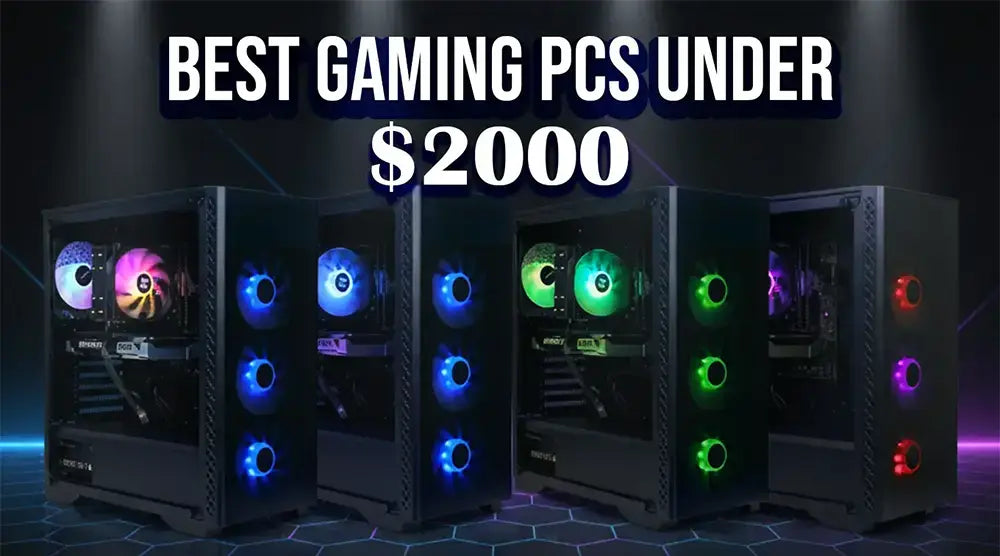
Already seen in ranked lobbies across VALORANT, CS2, Apex Legends, and League of Legends, solid hardware alone isn’t enough to stay competitive. At a higher level of play, you need high frame rates, stable frame times, and ultra-low input latency to keep your aim and reactions consistent when it matters most.
At the $2,000, you hit the real sweet spot: a CPU with excellent single-core power, a GPU that maintains high FPS at 1080p or 1440p, a thermally efficient case, and fast NVMe storage, without overspending on extras.
In this blog, you’ll discover the most essential features esports players need in a gaming PC, our expert-recommended gaming PCs under $2000, and practical buying tips to help you get the best performance for your budget.
What Esports Players Need in a Gaming PC
- High refresh rate support (240Hz+): This range enables the system to feed your display with consistently great FPS and minimal end-to-end latency.
- Excellent single-core CPU performance: For CPU-bound games like CS, GO, VALORANT, and League of Legends.
- Maintain competitive FPS: Using a competent mid-to-upper-tier GPU (think 1080p/1440p at "low/comp" settings for clarity).
- Low Latency: Every millisecond counts in esports. From your PC to your display and peripherals, maintaining low latency and fast response times ensures your actions register instantly. Studies and primers from Intel and other experts show how system configuration directly impacts input lag, and in competitive matches, that difference can decide the round.
- Long scrim blocks dependability and thermals: Stability defeats RGB every time.
- Quick reality check: Riot lists very modest official specs for VALORANT, even for achieving 144+ FPS. Modern mid-range hardware easily surpasses those requirements, which is why smart build balance matters more than chasing flashy “halo” components that don’t add real competitive advantage.
Key Components to Look For (Under $2000 Builds)
Processor
- Choose an Intel Core i5 or i7, or an AMD Ryzen 5 or 7 (or newer). These CPUs offer strong single-threaded performance along with enough cores to handle background tasks and capture software smoothly without performance issues.
GPU
- Choose RTX 4070 Ti / RX 7800 XT level or related current-gen equivalents. This class is still quite capable at 1440p and offers high FPS at 1080p esports configurations. It also allows you to activate latency-reduction capabilities (e.g., Reflex in supported games).
Memory
- 16–32GB DDR4 or DDR5 is ideal. For pure esports gaming, 16GB is sufficient, while 32GB offers extra headroom for streaming, multitasking, and content creation tools.
Storage
- Choose a 500GB-1TB NVMe SSD. Games like CoD and Apex are storage-hungry; rapid loads aid with practice efficiency and event logistics.
Cooling and Build Quality
- Look for at least two or more case fans, a strong airflow design, and a reliable cooling solution such as a tower air cooler or a 240mm AIO liquid cooler.
- Proper cable management also plays an important role, improving both airflow and overall system serviceability.
Best Gaming PCs Under $2000 for Esports (Top Picks)
Here are some expert-recommended gaming PCs under $2000, specially selected for competitive esports players, available at TechWhiz Inc.
1) TechWhiz NightShade Gaming PC - AMD RYZEN 7 5700
Specs:
- CPU: AMD Ryzen 7 5700.
- GPU: RTX 5060 Ti.
- RAM: 32GB DDR4.
- Storage: 1TB NVMe SSD.
- OS: Windows 11 Pro.
- Price: $1,999.
Best for: Players managing multiple games who want strong performance and plenty of storage without exceeding their budget.
2) TechWhiz NightShade Gaming PC - AMD Ryzen 5 5500
Specs:
- CPU: AMD Ryzen 5 5500.
- GPU: RTX 5050.
- RAM: 32GB DDR4.
- Storage: 1TB NVMe SSD.
- OS: Windows 11 Pro.
- Price: $1,499.
Best for: Esports-focused gamers who want the best FPS per dollar and plan to upgrade storage later if needed.
3) TechWhiz Budget Gaming PC - AMD Ryzen 7 5700
Specs:
- CPU: AMD Ryzen 7 5700.
- GPU: RTX 5060.
- RAM: 32GB DDR4.
- Storage: 500GB NVMe SSD.
- OS: Windows 11 Pro.
- Price: $1,499.
Best for: Esports gamers and performance-focused users who want high FPS gaming and strong multitasking, with room to upgrade storage later.
4) TechWhiz Budget Gaming PC - AMD Ryzen 5 5500
Specs:
- CPU: AMD Ryzen 5 5500.
- GPU: RTX 3050.
- RAM: 16GB DDR4 RAM.
- Storage: 500GB NVMe SSD.
- OS: Windows 11 Pro.
- Price: $1,199.
Ideal for: Casual to mid-level gamers who want smooth 1080p gaming performance, stable esports FPS, and everyday multitasking.
Prebuilt vs Custom-Built Gaming PCs for Esports
Built-In Advantages
- Quick setup with plug-and-play convenience, letting gamers jump into scrims or matches faster.
- Tested compatibility with stable out-of-the-box thermal performance.
- Often includes essential software and connectivity like Windows license, Wi-Fi, and Bluetooth.
Custom-Built Benefits
- Full control over components (cooler, case, VRMs), enabling better thermal and acoustic optimization.
- Easier long-term upgrade planning with better awareness of PCIe slots, M.2 support, and PSU headroom.
- Greater flexibility for airflow design and overall system aesthetics tailored to personal preference.
Which Is Better?
A prebuilt gaming PC is the more intelligent choice if your goal is to maximize scrim time and minimize setup hassle. It’s plug-and-play, backed by a warranty, and ready for competitive matches right out of the box.
On the other hand, a custom-built PC offers greater control over performance, cooling, and noise. If you enjoy fine-tuning hardware, optimizing airflow, or selecting premium components for long-term consistency, custom builds provide unmatched flexibility.
Ultimately, the decision depends on your time, experience, and comfort with PC building
Buying Tips: How to Get the Most Value Under $2000
- View seasonal discounts like Black Friday/Cyber Monday, Boxing Day, back-to-school, and manufacturer promotions can reduce hundreds off.
- Invest in a strong CPU and GPU combo rather than flashy RGB lights. After all, matches are won with frame rates, not LEDs.
- Purchase a fast keyboard, a light mouse, and a 240–360Hz monitor to improve performance. Good panels and a high refresh rate guarantee low latency and fast response times all over the chain. NVIDIA Reflex-enabled games can assist in in-game latency reduction.
- Ask about case fan count, CPU cooler type, and expected noise levels, because cooling and thermals play a huge role in consistent performance.
- Look for quality-of-life upgrades such as an extra M.2 slot for future storage, a high-wattage PSU for component upgrades, and front-panel USB-C for easy connectivity.
These small details make a big difference in regular use and long-term reliability.
Wrap Up
At the $2,000 range, you’re investing in more than just hardware; you’re securing smooth frame rates, stable thermals, and competitive consistency. Whether you’re grinding ranked lobbies or playing on stage, a well-balanced gaming PC ensures every frame and input counts.
TechWhiz prebuilt systems are crafted for serious esports players who value reliability, cooling, and performance without unnecessary extras. With upgrade-ready parts and proven configurations, you can focus on perfecting your aim, not troubleshooting your rig.
Visit our store today and power your next win with a setup built for champions.
Frequently Asked Questions
1. Which characteristics should I give top priority to in an esports gaming PC costing $2000?
A mid-to-upper-tier GPU (RTX 4070 Ti / RX 7800 XT class), 16–32GB RAM, 1TB NVMe SSD, and a CPU single-core strength (Intel i7/Ryzen 7). During extended sessions, make sure the case and cooler maintain uniform clock times.
2. At 240Hz, can gaming PCs under $2000 run esports titles?
Yes, at 1080p competitive settings, these builds are meant to feed 240Hz panels with very high FPS in games including VALORANT and CS2.
3. Should I get a prebuilt or custom gaming PC for esports?
If you are all about plug-and-play and a warranty, opt for prebuilt. If you want to customize the cooling/noise and also handpick each part, then get a custom one. Both under $2000 can achieve good FPS; pick one according to your time and comfort level.
4. Are gaming PCs below $2000 great for streaming purposes?
Yes, they are. If you have an 8-core CPU (or a highly customized 6-core) coupled with a superb NVENC/AMF encoder, you can stream at 1080p, as long as you don't run a lot of background applications and your temps are good enough.
5. How long would gaming PCs under $2000 last competitively?
Expect around 3–4 years of solid esports performance, and even longer if you maintain smart, optimized settings. When it’s time to upgrade, start with the GPU to stay ahead of next-gen visuals and ultra-high-resolution gameplay.


