



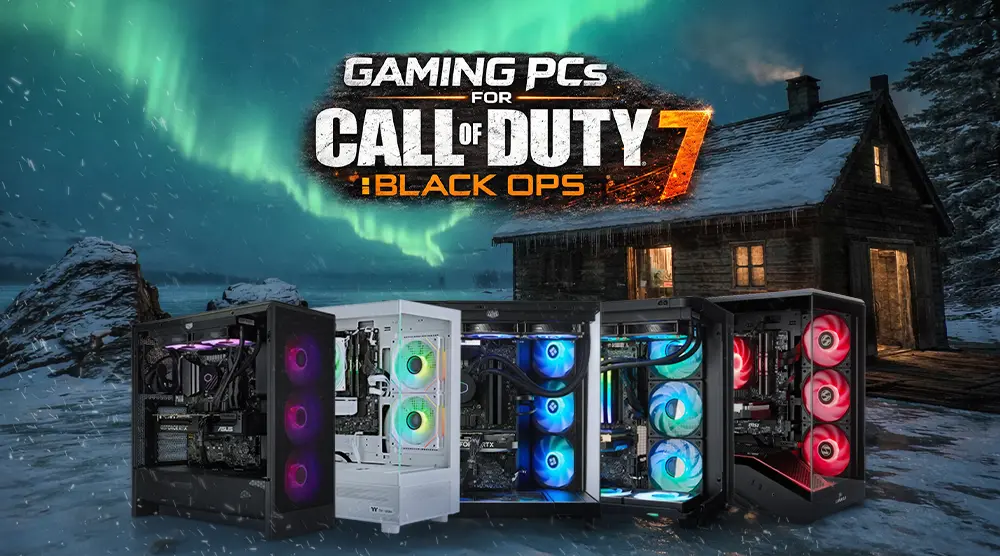
Before every gaming session, players focus on fast reactions, smooth tracking, and clear visibility, the small advantages that can decide a match before the first shot is fired. That’s why choosing the right gaming PC for Call of Duty: Black Ops 7 is about far more than flashy RGB lighting or stylish cases.
Competitive performance depends on stable FPS, low input lag, fast refresh-rate support, efficient cooling, and hardware powerful enough to handle demanding multiplayer combat.
According to Activision Support, Call of Duty: Black Ops 7 is designed around modern gaming hardware, with SSD storage, DirectX 12 support, Windows 11 compatibility, and competitive-ready GPU performance playing a major role in overall gameplay quality.
The game’s competitive specifications also recommend high-refresh gaming setups capable of delivering high FPS performance for smoother aiming and responsiveness.
In this guide, we’ll cover the minimum and recommended Black Ops 7 PC specs, essential buying tips, performance optimization advice, and the top 5 gaming PCs for Call of Duty: Black Ops 7 in 2026 from TechWhiz Inc.
Why a High-Performance Gaming PC Matters for Call of Duty: Black Ops 7
In Call of Duty: Black Ops 7, reaction time, aiming accuracy, and overall gameplay can all be significantly affected by smooth performance. A modern GPU handles high frame rates, textures, shadows, and ray tracing, whereas a powerful CPU aids with frame pacing, multiplayer responsiveness, physics, and background activities.
NVMe SSD storage lowers loading times and handles massive game files more effectively, while fast DDR5 RAM prevents slowdowns while playing games with Discord, streaming apps, or browser tabs.
Competitive gaming is not only about high FPS numbers. Stable frame rates, low stutter, fast response times, and support for 144Hz or 240Hz monitors make a smoother experience that helps players track enemies faster and react more accurately during intense gunfights.
For serious Call of Duty players, investing in a well-balanced gaming PC can provide a clear advantage in both competitive and casual gameplay.
Minimum and Recommended System Requirements for Call of Duty: Black Ops 7
Minimum Specs
- CPU: AMD Ryzen 5 1400X or Intel Core i5-6600
- GPU: AMD Radeon RX 470 or NVIDIA GeForce GTX 970 / 1060 or Intel Arc A580, 3GB
- RAM: 8GB
- Storage: 60GB free space (SSD preferred)
- OS: Windows 11 64-bit
- DirectX: DirectX 12 compatible
Recommended Specs
- CPU: AMD Ryzen 5 1600X or Intel Core i7-6700K
- GPU: AMD Radeon RX 6600 XT or NVIDIA GeForce RTX 3060 or Intel Arc B580, 8GB
- RAM: 12GB
- Storage: 60GB+ free space (SSD)
- OS: Windows 11 64-bit
- DirectX: DirectX 12 compatible
Top 5 Gaming PCs for Call of Duty: Black Ops 7
1. TechWhiz CrystalForge Gaming PC - AMD Ryzen 7 9700F + AMD 9060 XT
Key Specs:
- CPU: AMD Ryzen 7 9700F
- GPU: AMD 9060 XT
- RAM: 32GB DDR5
- Storage: 1TB NVMe SSD
- OS: Windows 11 Pro
- Warranty: 3-year warranty
Price: $2,599 CAD
Ideal for: Gamers who want smooth 1080p and 1440p performance on a realistic budget.
2. TechWhiz CrystalForge Gaming PC - AMD Ryzen 7 9700F + RTX 5070
Key Specs:
- CPU: AMD Ryzen 7 9700F
- GPU: RTX 5070 12GB GDDR7
- RAM: 32GB DDR5
- Storage: 1TB NVMe SSD
- OS: Windows 11 Pro
- Warranty: 3-year warranty
Price: $2,899.99 CAD
Best for: Ideal for gamers looking for high FPS and great visuals in 1440p resolution.
3. TechWhiz Edge Gaming PC - Intel Core Ultra 9 285K
Key Specs:
- CPU: Intel Core Ultra 9 285K
- GPU: RTX 5080 16GB
- RAM: 32GB DDR5
- Storage: 2TB NVMe SSD
- OS: Windows 11 Pro
- Warranty: 3-year warranty
Perfect for: Streamers, creators, and 4K players.
Price: $4,799 CAD
4. TechWhiz NightShade Gaming PC - AMD Ryzen 7 9700X
Key Specs:
- CPU: AMD Ryzen 7 9700X
- GPU: RTX 5070 Ti 16GB GDDR7
- RAM: 32GB DDR5
- Storage: 1TB NVMe SSD
- OS: Windows 11 Pro
- Warranty: 3-year warranty
Best for: Competitive 1440p gamers who need more GPU performance.
Price: $3,299.99 CAD
5. TechWhiz Vortex Gaming PC - AMD Ryzen 7 9800X3D
Specs:
- CPU: Ryzen 7 9800X3D
- GPU: RTX 5080 16GB GDDR7
- RAM: 32GB DDR5
- Storage: 2TB NVMe SSD
- OS: Windows 11 Pro
- Warranty: 3-year warranty
Ideal for: High-end FPS gaming, 4K performance, and competitive gameplay.
Price: $4,399.99 CAD
*Prices are subject to change. Please check the product page for the latest price before purchasing.
How to Choose the Right Gaming PC for Call of Duty: Black Ops 7 in Canada
When buying a gaming PC for Call of Duty: Black Ops 7 online in Canada, make sure the system matches the refresh rate and resolution of your monitor. An RTX 5070-class GPU or AMD 9060 XT system is generally sufficient for 1080p gaming. Although RTX 5080 systems are excellent for competitive ultra settings and 4K gaming, an RTX 5070 Ti offers better performance for 1440p gameplay with a high refresh rate.
You should also consider:
- Price: Give the GPU's performance priority over aesthetic aspects.
- RAM: For multitasking and contemporary gaming, 32GB DDR5 is recommended.
- Storage: NVMe SSDs offer better performance and quicker loading times.
- Cooling: Maintaining consistent temperatures and improving clocks depends on good airflow.
- Upgradeability: Choose a high-quality PSU, a latest motherboard, and an ample case for potential upgrades.
Optimizing Your PC for Call of Duty: Black Ops 7
- Install GPU drivers prior to launch day.
- Set the refresh rate of your monitor to the highest rate possible within Windows.
- Where possible, connect with the Ethernet.
- Always play within the NVMe SSD.
- Reduce motion blur, adjust shadow settings, and only upscale when it does not impact visibility but can enhance the FPS.
Ensure that your PC is clean, monitor its temperatures, and avoid overclocking unless you are aware of your thermal restrictions, voltage limits, and warranty coverage.
Wrap Up
Choosing the right gaming PC for Call of Duty: Black Ops 7 comes down to balancing performance, resolution, and budget. Whether you’re aiming for smooth 1080p gameplay, competitive 1440p high-refresh matches, or ultra settings at 4K, each TechWhiz PC build is designed to deliver stable FPS, low input lag, and consistent performance for competitive play.
From the budget-friendly CrystalForge to the powerhouse Vortex and Edge systems, there’s an option tailored for every type of player and skill level.
If you’re ready to upgrade your setup and gain a real competitive edge in Call of Duty: Black Ops 7, explore the vast range of prebuilt gaming PCs at TechWhiz Inc. Built with powerful GPUs, fast DDR5 memory, and high-speed NVMe storage, these systems are optimized for peak gaming performance.
Visit TechWhiz Inc. today and choose the gaming PC that matches your playstyle and budget.
FAQs
What's the most affordable gaming PC for COD Black Ops 7?
The most affordable option among the products listed above is the TechWhiz CrystalForge Gaming PC with AMD Ryzen 7 9700F + AMD 9060 XT, priced at $2,599 CAD.
With its reliable 1080p and 1440p performance, 32GB of DDR5 RAM, and lightning-fast NVMe SSD storage, it's an excellent option for competitive gaming at an affordable price.
What is the optimal amount of RAM to ensure seamless gameplay?
For gaming and multitasking, 32GB DDR5 is an excellent choice.
Is it good to overclock the CPU/GPU to boost performance?
Yes, but with careful testing, stable power, and good cooling, and with conservative settings.
Are ready-to-play gaming PCs suitable for competitive games?
Yes. For competitive gaming, a high-performance pre-built gaming PC with a strong cooling system, NVMe SSD, and a modern GPU is a good choice.


