



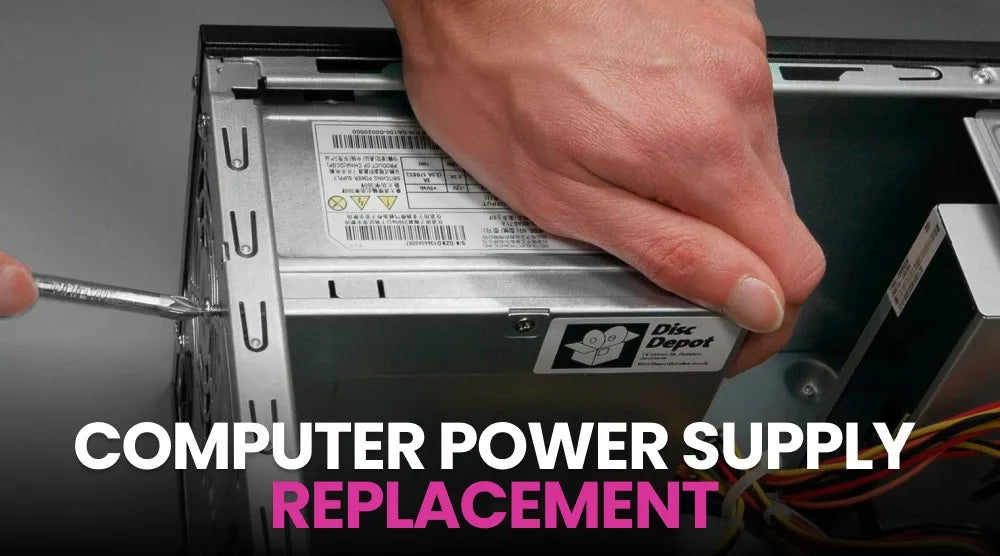
Usually, your computer will warn you before your PSU stops working. You might see small issues, such as random shutdowns, trouble starting up, or odd noises. These might seem like software problems, but they could point to something more serious.
A failing power supply unit (PSU) is a common cause of computer problems, but it’s often missed. Since the PSU powers every main part of your computer, even minor issues can cause your system to become unstable or damage your hardware.
Recognizing when you need a computer power supply replacement can save you from expensive repairs and unexpected downtime.
In this guide, we'll cover the top warning signs, explain the causes of power supply failure, discuss diagnostic methods, and show you how to choose the right replacement PSU for your system.
What Is a Computer Power Supply And Why Is It Important?
The power supply unit takes electricity from the source and converts it into the lower voltage your computer parts need. It powers the motherboard, processor, graphics card, storage drives, fans, and other devices in your PC.
If your PSU isn’t working properly, your computer may not run reliably.
Why Power Supply Health Matters
A healthy power supply contributes to:
- Stable system performance.
- Protection against voltage fluctuations.
- Reliable operation during demanding workloads.
- Improved energy efficiency.
- Longer lifespan for connected components.
If the PSU starts failing, you might see problems throughout your system.
Computer Power Supply Replacement: Top 7 Signs You Should Not Ignore
1. Your Computer Won't Turn On
A computer that won’t turn on at all is a clear sign of PSU trouble.
If you press the power button and nothing happens - no lights, no fans, no sounds - the power supply might be the issue.
Other problems, such as faulty cables or a faulty motherboard, can also cause this, but technicians usually check the PSU first.
2. Random Shutdowns and Restarts
If your power supply can’t keep a steady voltage, your computer might shut down or restart by itself, especially when it’s under heavy use.
These issues often become more frequent as the PSU gets worse.
3. Frequent Blue Screen Errors (BSOD)
Blue screen crashes aren't always caused by software.
If your computer isn’t getting steady power, you might see errors, crashes, or even total freezes.
If fixing software doesn’t help, it’s a good idea to check the PSU.
4. Burning Smells or Strange Noises
A healthy power supply should operate quietly.
If you hear buzzing, clicking, or crackling, or smell something burning, your power supply might have an internal problem or an electrical issue.
Turn off your computer right away and don’t use it again until it’s been checked.
5. Overheating Components
Many power supplies include built-in cooling fans that help regulate internal temperatures.
If the fan stops working or dust blocks airflow, heat can build up fast. This can slow down your computer, cause shutdowns, or make parts wear out sooner.
6. Disconnecting or Malfunctioning
A weak or unstable PSU can cause more than just startup problems.
You might notice USB devices disconnecting, storage drives vanishing, or your graphics card acting up during heavy use.
People often think these are driver problems, but they can actually be caused by poor power delivery.
7. Your Power Supply Is More Than 5 to 7 Years Old
Even quality power supplies have a limited lifespan.
Over time, internal capacitors wear down, efficiency declines, and voltage regulation becomes less reliable.
If your PSU is several years old and your computer has started behaving unpredictably, it may be time to replace it before a complete failure occurs.
Causes of Power Supply Failure
Understanding the causes of power supply failure can help prevent problems before they happen.
Power Surges and Electrical Issues
Lightning strikes, unstable electrical grids, or inadequate surge protection can stress sensitive PSU components.
Dust and Poor Ventilation
Dust buildup restricts airflow, traps heat, and forces cooling fans to work harder, increasing PSU wear out over time.
Overloading the PSU
If you add powerful hardware but your PSU doesn’t have enough wattage, it can get overloaded and become less reliable.
Manufacturing Defects
Although uncommon with reputable brands, defects in components or assembly can lead to premature failure.
How to Confirm You Need a Computer Power Supply Replacement
Before you replace your power supply, make sure it’s really the problem.
Perform a Visual Inspection
Look for dust, damaged cables, swollen parts, or anything that looks overheated.
Use a PSU Tester
A PSU tester can quickly indicate whether there are voltage problems or whether the power supply is working as it should.
Check BIOS Voltage Readings
You can check voltage readings in your computer’s BIOS or UEFI. If the numbers look off, it could mean there’s a power problem.
Seek Professional Diagnostics
If you’re not sure what’s wrong, let a technician check your system. This can help you avoid replacing parts you don’t need to.
Can a Bad Power Supply Damage Your Computer?
Yes. A bad power supply can cause more problems than just making your system unstable.
Risks to the Motherboard
If the voltage isn’t stable, it can put extra stress on your motherboard and its circuits.
Graphics Card and Storage Damage
High-end GPUs and storage devices require stable power. Serious electrical problems can damage these costly parts.
Unexpected Downtime
If your computer shuts down suddenly while transferring files or updating, you could lose data or have your work interrupted.
How to Choose the Right Replacement PSU
Choosing the right replacement power supply is just as important as spotting the warning signs.
Determine the Correct Wattage
Calculate your system's expected power consumption, and choose a PSU with enough capacity to handle peak loads while leaving room for future upgrades.
Look for 80 PLUS Efficiency Ratings
Certified power supplies waste less energy and generally operate more efficiently under normal conditions.
Consider Modular vs. Non-Modular Designs
Modular PSUs allow unused cables to be removed, improving cable management and airflow inside the case.
Check Compatibility with Your System
Before purchasing, verify connector availability, physical dimensions, motherboard compatibility, and graphics card power requirements.
Taking these steps is essential when learning how to choose the right replacement PSU for your build.
Conclusion
Power supply problems don’t usually go away. They often get worse over time and can affect other parts of your computer.
If your system has startup failures, random shutdowns, strange noises, overheating, or unexplained instability, don’t ignore these warning signs. Take action early to avoid expensive repairs and keep your PC running smoothly.
For more expert diagnostics guides, prebuilt gaming PCs, custom-built PCs, or business computers, visit TechWhiz Inc. today and take your experience to the next level.
FAQs
How long does a computer power supply last?
Most quality PSUs last between 5 and 10 years, depending on usage, operating conditions, and build quality. Heavy workloads and poor ventilation may shorten that lifespan.
What are the signs of PSU failure?
Common symptoms include failure to power on, random shutdowns, blue screen errors, strange noises, burning smells, overheating, and unstable hardware behavior.
Can I replace a computer power supply myself?
Yes, experienced users can often replace a PSU themselves. However, proper cable connections, compatibility checks, and safe handling are essential. If you're uncertain, professional installation is recommended.
How much does a computer power supply replacement cost?
Costs vary based on wattage, efficiency rating, brand, and installation fees. Entry-level units are generally affordable, while premium models for high-performance gaming systems cost more.
Can a failing PSU damage my motherboard?
Yes. In some situations, unstable voltage or electrical faults caused by a failing power supply can damage the motherboard and other connected components.
What wattage power supply do I need for my PC?
The ideal wattage depends on your hardware. Office computers may require only 400-550 watts, while gaming systems with high-end graphics cards often benefit from 750 watts or more.
How can I extend the lifespan of my computer power supply?
Keep your PC clean, ensure adequate airflow, use a high-quality surge protector, avoid overloading the PSU, and choose a reputable model that meets your system's power requirements.


