



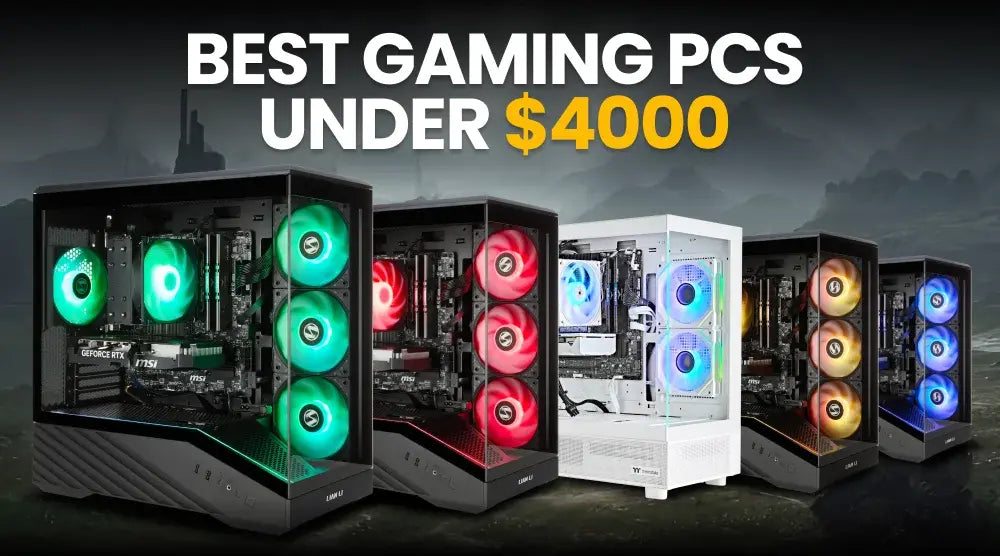
If you're searching for the best gaming PCs under $4000 CAD, you're shopping in a price range that offers serious gaming performance without stepping into ultra-premium territory.
In Canada, a budget of up to $4000 CAD can get you powerful CPUs, NVIDIA RTX 5070 and RTX 5070 Ti graphics, 32GB or 64GB of DDR5 RAM, fast NVMe storage, and well-built prebuilt systems.
This price range suits gamers who want to play demanding titles at high settings, stream gameplay, edit videos, enjoy VR, or build a system that can handle future gaming needs.
TechWhiz Inc. offers several systems in this range, featuring Ryzen 7 and Intel Core processors paired with NVIDIA GeForce RTX 5070 and RTX 5070 Ti graphics cards.
In this guide, we'll cover what to look for in a $4000 CAD gaming PC, who should consider this budget, five TechWhiz options worth exploring, and simple maintenance tips to help keep your system running smoothly for years.
What to Look for in the Best Gaming PCs Under $4000 CAD
Choose the Right Processor
The processor plays an important role in gaming, especially when you are targeting high frame rates or playing CPU-heavy titles.
Processors such as the AMD Ryzen 7 9800X3D and AMD Ryzen 7 7800X3D are particularly appealing for gaming-focused systems. Their strong gaming performance makes them suitable for high-refresh-rate gaming, while their multi-core capabilities also help with streaming and multitasking.
Intel options such as the Core i7-14700KF and Core Ultra 7 265KF are also strong choices if you want a system that can handle gaming alongside demanding productivity workloads.
Select the Right Graphics Card
For a premium gaming PC, the GPU is one of the most important components.
The NVIDIA GeForce RTX 5070 Ti is particularly attractive in this price range. It comes with 16GB of GDDR7 memory and supports modern NVIDIA technologies including DLSS and ray tracing.
RTX 5070 systems are also capable options for gamers who want strong 1440p performance and the ability to explore 4K gaming with appropriate settings.
DDR5 Memory
For a modern gaming PC, 32GB DDR5 is a strong starting point. It gives you plenty of room for gaming, browsing, voice chat, launchers, and other background applications.
Moving to 64GB DDR5 makes more sense for streamers, content creators, editors, and heavy multitaskers. It also gives you additional headroom if you regularly run demanding applications alongside your games.
Storage Capacity
A 1TB or 2TB NVMe SSD should be a priority when shopping at this level.
Modern games can take up a huge amount of storage, so 2TB is especially useful if you maintain a large game library. Fast NVMe storage also improves boot times, application loading, and game installation and loading.
Microsoft's DirectStorage technology is designed to make better use of high-speed storage in supported games, while Windows 11 includes additional storage optimizations.
Cooling and Airflow
High-performance hardware needs proper cooling. A good case with adequate airflow helps the CPU and GPU stay cool during long gaming or streaming sessions.
Liquid cooling isn't required for every premium PC, but a quality AIO cooler can make sense for systems with higher-performance processors.
Who Should Buy High-End Gaming PCs Online in Canada Under $4000 CAD?
These systems are ideal for:
- Competitive Esports players who need powerful CPUs and GPUs when pairing the system with a high-refresh-rate monitor.
- 4K gamers who want additional graphics performance to push higher resolutions and visual settings.
- Streamers seeking high CPU efficiency, ample RAM, and powerful GPUs that can manage both gaming and streaming simultaneously.
- Content creators who need extra CPU cores, memory, and fast storage for video editing, rendering, graphic design, and other demanding workloads.
- VR enthusiasts who require powerful graphics hardware because VR applications can place considerable demands on the GPU.
Best Gaming PCs Under $4000 CAD in 2026: Top TechWhiz Picks
1. TechWhiz Edge Gaming PC – Ryzen 7 9800X3D + RTX 5070 Ti
This system is a great option if you want a newer Ryzen 7 processor without going over the $4000 CAD budget.
- CPU: AMD Ryzen 7 9800X3D
- GPU: NVIDIA GeForce RTX 5070 Ti (16GB VRAM GDDR7)
- RAM: 32GB DDR5
- Storage: 2TB NVMe SSD
- Cooling: 360mm AIO
- OS: Windows 11 Pro
- PSU: 850W 80 Plus Bronze
- Connectivity: WiFi
Price: $3,899 CAD
Best for: High-FPS gaming, streaming, and demanding workloads.
2. TechWhiz AstroForge Gaming PC – Ryzen 7 7800X3D + RTX 5070 Ti
If gaming performance is your priority, this is one of the most compelling options on the list.
- CPU: AMD Ryzen 7 7800X3D
- GPU: NVIDIA GeForce RTX 5070 Ti
- RAM: 64GB DDR5
- Storage: 2TB NVMe SSD
- Cooling: 240mm AIO
- OS: Windows 11 Pro
- PSU: 850W 80 Plus Gold
- Connectivity: WiFi
Price: $3,799.99 CAD
Best for: High-end gaming, streaming, VR, and multitasking.
3. TechWhiz NightShade Gaming PC – Ryzen 7 9800X3D + RTX 5070 Ti
If you want the Ryzen 7 9800X3D and RTX 5070 Ti combo at a lower price, this NightShade build deserves attention.
- CPU: AMD Ryzen 7 9800X3D
- GPU: NVIDIA GeForce RTX 5070 Ti (16GB VRAM GDDR7)
- RAM: 32GB DDR5
- Storage: 1TB NVMe SSD
- Cooling: Dual-tower air cooler
- OS: Windows 11 Pro
- PSU: 850W 80 Plus Bronze
- Connectivity: WiFi
Price: $3,499 CAD
Best for: High-performance gaming and high-refresh-rate gameplay.
4. TechWhiz AstroForge Gaming PC – Intel Core Ultra 7 265KF + RTX 5070
This is a strong Intel-based choice, especially for gamers who want a modern platform, powerful performance, and plenty of memory.
- CPU: Intel Core Ultra 7 265KF
- GPU: NVIDIA GeForce RTX 5070 (12GB VRAM GDDR7)
- RAM: 64GB DDR5
- Storage: 2TB NVMe SSD
- Cooling: 240mm AIO
- OS: Windows 11 Pro
- PSU: 750W 80 Plus Bronze
- Connectivity: WiFi
Price: $3,299.99 CAD
Best for: Gaming, productivity, streaming, and content creation.
5. TechWhiz NightShade Gaming PC – Intel Core i7-14700KF + RTX 5070
If you want plenty of memory and storage, this NightShade system is an excellent option.
- CPU: Intel Core i7-14700KF
- GPU: NVIDIA GeForce RTX 5070 12GB GDDR7
- RAM: 64GB DDR5
- Storage: 2TB NVMe SSD
- Cooling: Air cooler
- OS: Windows 11 Pro
- PSU: 750W 80 Plus Bronze
- Connectivity: WiFi
Price: $3,299 CAD
Best for: Gaming, streaming, editing, and multitasking.
*Prices are subject to change. Please check the product page for the latest price before purchasing.
Gaming PC Maintenance and Performance Tips
Buying a powerful gaming PC is only part of the equation. Regular maintenance goes a long way.
Keep Your System Dust-Free
Regularly clean filters, vents, and fans every few months. Accumulated dust can block airflow and lead to increased temperatures.
Keep Drivers Updated
Keep your NVIDIA graphics drivers and Windows updates up to date. Updating the BIOS and firmware can enhance compatibility and make the system more stable.
Monitor Temperatures
Monitor your CPU and GPU temperatures while playing intensive games. If the heat consistently rises too much, inspect the airflow, the functioning of fans, and the setup of the cooler.
Manage Your Storage
Try not to fill your SSD completely. Keep some free space available and remove games or applications you no longer use.
Why TechWhiz Inc. Is Your Trusted Store for Buying Gaming PCs Online in Canada
TechWhiz Inc. combines quality hardware, professional assembly, reliable performance, and dedicated support to give Canadian gamers a dependable buying experience.
Premium Gaming Hardware
- Latest AMD and Intel processors
- NVIDIA RTX 50 Series graphics
- Carefully selected components
Professionally Built Systems
- Expert assembly and testing
- Ready-to-game setup
- Reliable performance
Cooling and Reliability
- Efficient airflow and cooling
- Stable performance
- Built for long-term use
Warranty and Support
- Warranty coverage
- Responsive customer support
- Upgrade and troubleshooting assistance
Conclusion
Choosing one of the best gaming PCs under $4000 CAD gives you access to powerful hardware that can handle demanding games, streaming, content creation, VR, and multitasking.
From Ryzen 7 systems with RTX 5070 Ti graphics to Intel-based builds with generous memory and storage, there are plenty of strong options to match different gaming needs.
If you're ready to upgrade your setup, explore the modern prebuilt gaming PCs from TechWhiz Inc. and find a system built for the performance you need.
Frequently Asked Questions
Do gaming PCs under $4000 CAD support virtual reality (VR) gaming?
Yes. Systems equipped with GPUs such as the RTX 5070 and RTX 5070 Ti are well suited to demanding gaming workloads, including supported VR applications. Your final experience will also depend on the VR headset, game, resolution, and settings.
How much power supply wattage is recommended for RTX 5070 Ti and RTX 5080 gaming PCs?
The right wattage depends on the full system, not just the GPU. CPU choice, cooling, storage, and other components all matter. The TechWhiz RTX 5070 Ti systems featured here use 850W PSUs, but always check the specific configuration before upgrading components.
Is liquid cooling necessary for high-end gaming PCs in 2026?
No. Liquid cooling is not mandatory. A good air cooler can work well, while an AIO can be useful for higher-performance CPUs and users who want additional thermal headroom.
What display resolution pairs best with a gaming PC under $4000 CAD?
For many buyers, a display resolution of 1440p combined with a fast refresh rate is a perfect combination. A setup with a powerful graphics card can also target 4K gaming, especially when using technologies like DLSS where supported.
What peripherals should I pair with a premium gaming PC?
A high-refresh-rate monitor, a fast gaming mouse, a mechanical keyboard, a good headset, and reliable surge protection or a UPS can complete the setup. Ensure the monitor aligns with your computer's performance capabilities instead of allocating all funds to the tower.
How often should gaming PC components be upgraded?
There is no fixed schedule. Upgrade when your current hardware no longer delivers the performance you want. For many users, the GPU is usually the component most worth considering first when newer games become more demanding.


